
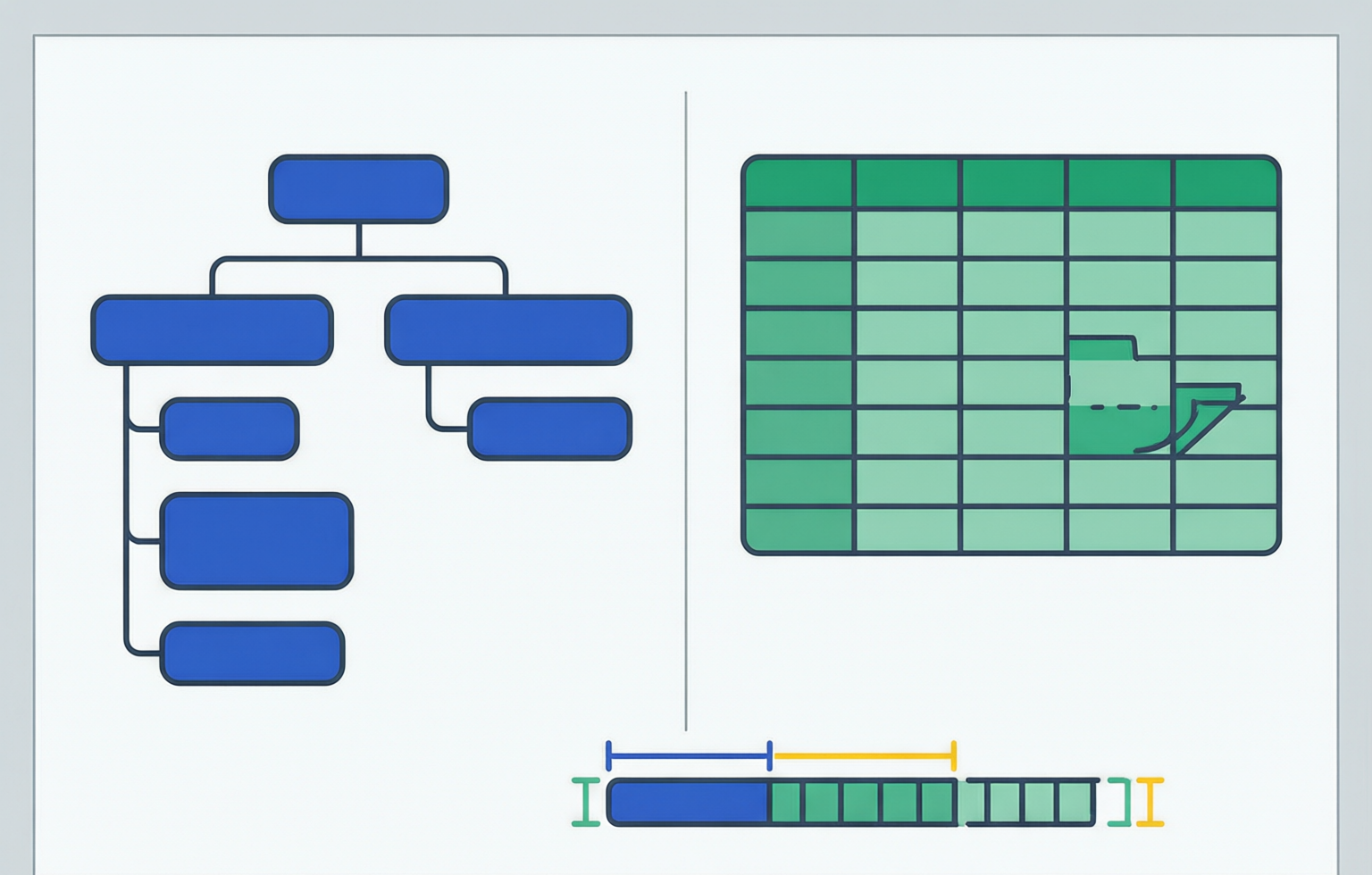
One record, written twice
JSON and CSV are not two versions of the same idea with different punctuation. One is a tree of typed values, the other is a rectangular grid of text with a header row that is not part of the format. A record that fits neatly in the grid can usually be written in both, and the interesting differences only appear at the edges: the second nested object, the array inside a row, the identifier with a leading zero, the fifteen-thousandth column, the file that has to be read before it has finished arriving.
The record below is the one used for every measurement on this page. It is an ordinary order: an id, a customer, a total, a currency, and two line items. It is small, it is nested twice, and it has an array, so it exercises the difference between the two formats without becoming a toy.
{
  "id": "ord_84120",
  "customer": { "name": "Ana Sofia", "country": "BR" },
  "total": 49.9,
  "currency": "BRL",
  "items": [
    { "sku": "A-100", "qty": 2, "price": 19.95 },
    { "sku": "B-77", "qty": 1, "price": 10 }
  ]
}
Written as one object. The keys that carry structure appear once here and are repeated in every record in a file of them.
id,customer.name,customer.country,total,currency,items.0.sku,items.0.qty,items.0.price,items.1.sku,items.1.qty,items.1.price
ord_84120,Ana Sofia,BR,49.9,BRL,A-100,2,19.95,B-77,1,10
Two lines: 124 bytes of header and 55 bytes of data, plus the two carriage return and line feed pairs. The nesting survived only because a column name was allowed to contain a dot and a number.
The byte counts are the ones a script computed on exactly these two texts, and they are worth putting in front of the usual assumption: for this single record JSON is smaller. The flattened CSV file is 183 bytes because the header costs 126 of them, and the JSON object as written above is 179 bytes once you count the array brackets around it. The grid only starts winning at the second record, where the header is already paid for: 240 bytes against 357.
| How many records | CSV file | JSON array, minified | JSON array, indented by two |
|---|---|---|---|
| 1 | 183 bytes | 179 bytes | 328 bytes |
| 2 | 240 bytes | 357 bytes | 654 bytes |
| 10 | 696 bytes | 1,781 bytes | 3,262 bytes |
| 1,000 | 57,126 bytes | 178,001 bytes | 326,002 bytes |
Computed here with Buffer.byteLength on the two texts above: one row per record, no compression, no trailing whitespace, CRLF endings in the CSV, and the JSON records placed in an array indented by two spaces. At a thousand records the indented array is 5.71 times the size of the CSV file and the minified array is 3.12 times.
What each format is allowed to say
RFC 8259 defines a JSON value as an object, an array, a number, a string, or one of three literals, built from six structural characters, and requires that text exchanged between systems be UTF-8 encoded. That is a complete description of a tree. RFC 4180 defines a CSV file as records of fields separated by commas and terminated by a carriage return and line feed pair, with quoting required for a field that contains a comma, a quote or a line break. That is a complete description of a grid. Neither document mentions nesting, and only one of them mentions types.
The practical differences fall out of those two sentences, and it is worth being precise about which are format rules and which are habits of tooling. The header row is not part of RFC 4180: it is a convention, which is why one importer treats the first record as data and another as column names. Column order is meaningless in JSON and load-bearing in CSV, where a schemaless reader assigns names by position. Repeated names are legal in both and dangerous in both, but for different reasons: a JSON document with two members of the same name is well-formed and the last one usually wins downstream, while a CSV file with two identical headers silently overwrites a column the moment you turn the rows into objects.
| Property | JSON | CSV |
|---|---|---|
| nesting | unbounded, by construction | only by inventing a naming scheme for columns |
| arrays | first-class and ordered | only by repeating columns or by packing separators inside a field |
| scalar types | number, string, boolean, null | text only; every type is an inference |
| missing versus empty | absent key, null, and empty string are three states | empty field, and a short row that omits the field entirely |
| order | arrays are ordered, objects are not | columns are ordered, rows are ordered, and both are positional |
| duplicate names | legal, no defined meaning | legal in the format, fatal in the header row |
| self-describing | yes, keys travel with the data | only if a header line is present |
| multi-line values | always escaped | legal inside quotes, and this is what breaks line-based readers |
The last row is the one that causes the most surprise: RFC 4180 allows a quoted field to contain line breaks, so the number of lines in a CSV file is not the number of records in it.
Where the grid runs out of vocabulary
A variable number of children is the shape CSV cannot say. Two line items flatten into six columns cleanly. A hundred line items flatten into three hundred columns that nobody wants to read, or into one field containing a packed list, which is a second format smuggled inside the first and needs its own quoting rules. Both are supported by the tools here: the JSON to CSV converter offers array styles for exactly this decision, and its flattening option set includes the choice of what to do when a record has more items than the columns that were created from the first record it saw.
The mixed-shape problem has the same root. A file whose rows are all the same record type is a table. A file whose records sometimes have a nested object and sometimes do not is a tree, and forcing it into a grid produces a column that is mostly empty, which is not wrong but is a decision you should make on purpose. The converter does make it on purpose and then tells you: columns are the union across records, and it reports how many records did not have exactly that union, with the note that missing keys became empty cells that a downstream reader may take as null or as an empty string. A top-level array holding objects, arrays and scalars together gets a warning whose message is that the payload is not a table.
Types, and the cost of guessing them
JSON carries four value types in its grammar, so a reader does not have to guess whether a field is a number, and a writer does not have to hope the reader agrees. CSV carries none. Every type in a CSV file is an inference made by whatever reads it, and inference is a decision with a failure mode: identifiers become numbers, numbers become strings, and both happen silently.
The CSV to JSON converter makes the decision explicit with three inference modes, and the default is deliberately the narrow one. With inference off, every cell stays exactly the text it was. With safe inference, a cell becomes a boolean only when its trimmed text is exactly lowercase true or false, and becomes a number only when the trimmed text matches the JSON number grammar. With aggressive inference, booleans accept any case and every blank cell becomes null regardless of whether the field was quoted.
| Cell text | Inference off | Safe, the default | Aggressive |
|---|---|---|---|
| 00123 | string "00123" | string, a leading zero fails the JSON grammar | string |
| 12.50 | string "12.50" | number 12.5, the trailing zero is gone | number 12.5 |
| 1e3 | string "1e3" | number 1000, rewritten without the exponent | number 1000 |
| TRUE | string "TRUE" | string, only lowercase converts | boolean true |
| empty field | string "" | null | null |
| 9007199254740993 | string | string plus an unsafe-integer finding | string plus the same finding |
Three protections live in the number grammar itself: whole numbers above 2 to the 53rd minus one are kept as text and reported, integers longer than fifteen digits are kept as text, and a numeric text that does not round-trip through a double is kept as text.
The direction that matters most in a comparison is the one nobody thinks about until it has happened: writing types out. A number written as text keeps its formatting, so 12.50 stays 12.50 and a zip code keeps its zeros, and a spreadsheet that opens the file later decides for itself. The JSON to CSV writer has a numeric-safe quoting style for exactly that tension, which quotes anything that looks numeric so it survives being read as text, and a minimal style, which quotes only what the format requires plus the leading characters that a spreadsheet would evaluate.
Size, measured on the same bytes
The number that settles this argument is inside the JSON rather than between the two files. Of the record's 177 minified bytes, 100 are key names with their quotes and their colons: thirteen occurrences of ten distinct names, and those ten names are fifty characters long in total. Everything that is actually about the order costs 77 bytes.
The CSV row is 55 bytes, of which 45 are value text and 10 are commas, and it contains no column name at all. The names sit once at the top of the file: eleven header fields, 114 characters of name text and 10 commas, so 124 bytes, or 126 once the carriage return and line feed pair that RFC 4180 asks for is counted. That is the whole asymmetry, and because it is additive rather than proportional, every question about which format is smaller is really a question about how many records you intend to write.
| Records | JSON array, minified | of which key text | CSV file | of which header |
|---|---|---|---|---|
| 1 | 179 bytes | 100 bytes | 183 bytes | 126 bytes |
| 10 | 1,781 bytes | 1,000 bytes | 696 bytes | 126 bytes |
| 100 | 17,801 bytes | 10,000 bytes | 5,826 bytes | 126 bytes |
| 1,000 | 178,001 bytes | 100,000 bytes | 57,126 bytes | 126 bytes |
A JSON record costs 178 bytes once its separating comma is counted, and 100 of those are names, so key text is 56 per cent of the file at every size. The CSV header is 126 bytes at every size, which is 69 per cent of a one-record file, 18 per cent of a ten-record file, 2 per cent of a hundred-record file and 0.2 per cent of a thousand-record one. The 120,875-byte gap between the two files at a thousand records is therefore 100,000 bytes of repeated names plus roughly 20,875 bytes of quoting, structure and the array wrapper.
The indented column of the first table deserves an explanation here rather than being left as a curiosity. The same array pretty-printed with two-space indentation costs 326 bytes per record against 178 for the minified one, so 148 bytes per record and 148,001 of them across a thousand records are leading spaces and line breaks. Those bytes are not JSON. They are a formatter preference, and the JSON Minify tool removes exactly them and nothing else: minification leaves all 100 bytes of key text standing, which is why the minified array is still 3.12 times the CSV file and the pretty-printed array 5.71 times. A size comparison run against an indented file is measuring an editor, not a format.
What compression does to the argument
A gzip member is cheap framing around a DEFLATE stream. RFC 1952 section 2.3 defines a ten-byte header in which the compression method byte must hold 8 for DEFLATE, and an eight-byte trailer carrying the CRC-32 of the original data and its size modulo 2^32, so eighteen bytes go on every member before any of your payload is accounted for. RFC 1951 section 3.2.5 defines the part that decides this comparison: a windowed LZ77 pass in which a repeated byte string is replaced by a length and distance pair, the shortest match worth encoding is three bytes, the longest is 258, and the window it may reach back into is 32 KiB.
Put those numbers against the file above. The record stride is 178 bytes, so the previous copy of any key name is 178 bytes back, and a 32 KiB window therefore holds about 184 records of history: in a thousand-record file every name has been seen before, and not one of the 100,000 bytes of key text is novel. A whole record's names would fit inside a single maximum-length match. What spoils that neat picture is the values, because the identical runs are only the pieces between them, and those are short: twenty-two bytes for the text that joins the identifier to the customer name, nineteen for the run that opens the items array, thirteen for the currency key with its comma and its colon, and eight for a quantity key. Every one of them is above the three-byte minimum, so each becomes a back-reference of a few bytes instead of its own literal text. What survives in both files is the data itself, which is the same information in either encoding and compresses at its own rate.
This is the boundary of what this page will claim, so it is worth stating plainly. A compressed ratio cannot come from one record, because the answer now depends on how different the other nine hundred and ninety-nine are: repeat the same row a thousand times and both files collapse to a few hundred bytes, give every row a fresh identifier drawn from a hash and neither compresses at all. The comparison index states that ratios here come from the same record encoded twice, so no gzip figure is published for these two files. What follows from the specifications without a measurement is narrower and still decisive: the names are the most compressible part of the JSON file, the values are equally compressible in both, and the gap therefore shrinks without closing.
CSV keeps three advantages after compression, and they should not be merged into one. It has no key text to compress, which is a different thing from compressing well, and it matters most in the wide flat case: forty columns whose names average twenty characters cost 920 bytes per record in JSON and 920 bytes once in a header. Even at zero key cost the tree carries more punctuation per record, since this example still leaves 77 bytes of JSON values and structure against 45 bytes of CSV value text. And the grid lands in readers that need no inflate step, no re-serialisation and no schema rebuild before they can begin, which is the subject of the next two sections.
The shape that keeps both halves
NDJSON, also written as jsonl, gives up the array wrapper and pays the key names: one JSON value per line, a line feed as the terminator, UTF-8 as the encoding, and no attempt to make the file a single JSON document. Per record that is the minified record plus one byte, so a thousand records come to 178,000 bytes and 3.12 times the grid, and the file gains the two properties the array does not have: it can be appended to without rewriting anything, and one malformed line does not invalidate its neighbours.
The standardised version is stricter, and the difference is not cosmetic. RFC 7464 registers the media type application/json-seq and defines a sequence as repetitions of a record separator octet followed by one JSON text followed by a line feed, so the delimiter is 0x1E rather than the newline, and the newline is only a terminator. A record separator inside a value must be escaped; a line feed inside a value need not be, because it is not what marks the boundary. The consequence is the one that surprises people in production: a pretty-printed record, or a value containing a newline, still separates cleanly in a json-seq stream and splits a jsonl file into two broken halves. The shape that keeps both halves of this argument is therefore the one carrying an invisible control character at the start of every line, which is also why almost nobody writes it by hand.
wrapped array    [ + 177-byte record + ]        179 bytes per file, unreadable until it is complete
one per line     177-byte record + 0a            178 bytes per record, the boundary is the newline
json-seq         1e + record + 0a                    179 bytes per record, the boundary is 1e
The array pays two bytes for the wrapper once and loses the ability to be read early. The line-delimited forms pay one byte per record and keep it. RFC 7464 charges a second byte per record and in exchange stops caring what is inside the record.
Streaming, where the obvious answer inverts
The standard story is that CSV streams and JSON does not: a grid is rows, and a tree has to be finished before it means anything. Both halves of that are true and both have a clause attached, and the clauses are where the design decision actually lives.
Start with the part that is genuinely in CSV favour. A truncated CSV file is still readable up to the byte where it stopped, because each record is self-contained; a truncated JSON array is a syntax error as a whole, and the useful data inside it is unreachable by a conforming parser. That asymmetry is why exports, import pipelines and log shipping are grid-shaped, and it is also why the PostgreSQL loader documentation says what it says about CSV files not being strictly one line per row: a quoted field may contain carriage returns and line feeds, so the record boundary is not a newline, and a reader that thinks it is will slice a value in half. RFC 4180 permits exactly that.
Now the inversion. JSON has a streaming answer, and it is not exotic: JSON Lines, or ndjson, requires UTF-8, one valid JSON value per line, terminated by a line feed, with no wrapping array, and the format page notes that it composes with tools such as gzip. Written that way, the same thousand records cost 178,000 bytes against the CSV file at 57,126, so it pays 3.12 times the grid for the ability to be read one line at a time by a parser that has no schema to satisfy. The JSON to CSV converter treats a flat array of scalars by writing a single column called value, which is the same idea in grid form: one item per line, one field per record.
| Reader | Minimum useful buffer | What breaks it | Cost on the measured record |
|---|---|---|---|
| CSV, character scanner | one record | a quoted field with embedded newlines | 57 bytes per record plus a 126-byte header |
| CSV, line splitter | one line | the same quoted field, sliced in half | no cost until the data disagrees with you |
| JSON, whole document | the entire file | size, and any truncation | 284 bytes pretty-printed for one record |
| JSON, one value per line | one line | pretty-printed output, which is not one line per record | 178 bytes per record |
| Browser converter | input, model and output strings together | a file larger than the tab can hold | whatever you paste is fully resident |
The last row is the honest limit of the tools on this site: every converter keeps the source text, the parsed model and the generated output in memory at once, so a several-gigabyte file is a job for a streaming loader, not for a browser tab.
The same failure in both formats
A fair comparison puts the same class of mistake in both columns, because most arguments about these formats are arguments about which failure you would rather debug. The mistake that produces the most files in the wild is one unescaped delimiter on the grid side and one stray comma on the tree side, and the tools report them in opposite directions.
| Mistake | In CSV | In JSON | How it is reported here |
|---|---|---|---|
| separator inside a value | a comma splits one field into two | not applicable, strings are quoted | ragged row: wider than the header, an error; shorter, a warning with padded cells |
| terminator left in | not applicable | a trailing comma after the last member | a parse error naming line and column, and a repair mode that fixes it mechanically |
| name written twice | duplicate header column | duplicate key in one object | CSV: an error, because an object cannot hold both; JSON: a warning, because the last one silently wins |
| encoding assumed | no byte order mark, so Excel reads UTF-8 as mojibake | UTF-8 is required, so a mark is not expected and breaks parsers | CSV: a BOM info finding; JSON: a positional error |
| precision assumed | a twelve-digit integer becomes a double | a number above 2 to the 53rd minus 1 is not exactly representable | unsafe-integer and long-number findings that keep the text |
| nesting assumed | a nested object has no column | a grid of a thousand columns | flattening depth, array style, and a heterogeneous-records count |
Repair mode in the JSON formatter accepts single quotes, comments and trailing commas and reports how many mechanical changes it applied, which is an honest way to admit that hand-written JSON drifts toward JavaScript.
Which failure is louder
The asymmetry that matters in an incident is detectability. A CSV file with one unquoted comma has no error to raise: it has one more field than the header, and every reader downstream silently reassigns the columns after it, so the value that was a city becomes a country. The same shape of mistake in JSON is a syntax error, which is why the file will not load at all. That is the argument for JSON as a transport between programs, and the argument for CSV as a container for data that has already been validated, because the grid can carry a wrong value without noticing.
Both formats also share the failure nobody notices: a value that parses perfectly and means something else. A leading zero is legal in both as text and destroyed in both as a number. A string that looks like a date becomes a date in a spreadsheet and a string in a database column, and neither conversion is an error. The audit on the CSV to JSON page exists for that category specifically, because it is the one that no parser will ever report.
CSV   order_id,name,city,country
      84120,Ana Sofia,Sao Paulo,BR
      84121,Dana O, Shea,Lisbon,PT
      finding: this row has five fields and the header has four

JSON  { "order_id": 84120, "name": "Ana Sofia", }
      error: a comma before a closing brace, reported with its line and column
Same class of mistake, opposite loudness. The grid row is a count mismatch that a lenient reader pads and moves on from; the tree is a syntax error that stops the load.
Where the file lands: databases and spreadsheets
Bytes only cost anything once something has to read them, and the reader is the part of this decision that people skip. A format is not a property of a file; it is a contract with whatever opens it next. Two programs can accept exactly the same bytes and disagree about them completely, one because it was told the column types and one because it was told nothing at all.
Loaders that are told
PostgreSQL has the most explicit contract of the group. COPY ... FROM in CSV format defaults to a comma delimiter, a double quote as the quote character, the same character again as the escape so that inner quotes are doubled, and a null marker that is the unquoted empty string. In text format those two defaults change to a tab and backslash-N, which is why the null token most people remember belongs to the format almost nobody uses on purpose.
CREATE TABLE orders (
  id text PRIMARY KEY,
  customer_name text,
  customer_country char(2),
  total numeric(6,2),
  currency char(3),
  items jsonb
);

COPY orders (id, customer_name, customer_country, total, currency, items)
FROM '/tmp/orders.csv'
WITH (FORMAT csv, HEADER true, DELIMITER ',', QUOTE '"', ESCAPE '"',
      NULL '', FORCE_NOT_NULL (currency), ON_ERROR stop);

-- text format instead: tab-delimited, backslash-N as the null marker, no quoting rules at all
COPY orders FROM '/tmp/orders.txt' WITH (FORMAT text);
Six columns: the five scalars flattened and the items array carried as JSON text in a jsonb column, which is the destination that lets the load keep the tree without inventing three hundred columns.
Four options carry the weight here. HEADER true discards the first line, and HEADER MATCH additionally requires its names to match the target columns, which turns the convention RFC 4180 never mentions into a checked assertion; either way the header is skipped rather than loaded as a row. FORCE_NOT_NULL applied to a column stops an empty value from matching the null string, so it arrives as a zero-length string instead, and FORCE_NULL does the opposite, converting a quoted empty value into a null even though quoting normally means the writer intended data. ON_ERROR ignore discards the rows that fail conversion instead of aborting the statement, and it is allowed only for text and CSV, which is the loader equivalent of the ragged-row warning these converters raise. Because COPY parses CSV with a state machine rather than by splitting on newlines, a quoted field containing a carriage return and a line feed remains one field, and the record boundary is still not a line.
MySQL asks for the same information in clauses rather than options, and its defaults are the trap. With no FIELDS or LINES clause at all, LOAD DATA expects tab-separated, backslash-escaped records ending in a line feed, with no enclosure character, which is not remotely the file a comma-and-CRLF writer produces. The clause is therefore not decoration. There is no header option either, so IGNORE 1 LINES is the mechanism, and it ignores lines before any column list is applied.
LOAD DATA LOCAL INFILE '/tmp/orders.csv'
INTO TABLE orders
FIELDS TERMINATED BY ',' ENCLOSED BY '"' ESCAPED BY '\\'
LINES TERMINATED BY '\r\n'
IGNORE 1 LINES
(id, customer_name, customer_country, total, currency, items);
Windows and spreadsheet exports use CRLF, which is precisely the case the MySQL documentation names: leaving the terminator at its line-feed default puts a stray carriage return in the last column of every row.
Null handling is where the two loaders diverge, and both diverge from a browser converter. MySQL reads backslash-N as NULL, reads the four-letter word NULL as the string NULL, and with an enclosure in force reads a quoted NULL as null; an empty field for a text column becomes an empty string and for a numeric column becomes zero, while a field missing at the end of a short line takes the column default rather than either. Set the escape character to nothing and the word NULL starts being what the writer emits instead of the token. Two operational notes from the same page: LOCAL makes the client stream the file, which needs no FILE privilege but is gated by local_infile and by secure_file_priv, and the statement is unsafe under statement-based replication.
The warehouses are where the tree question actually bites, because a grid cannot express a repeated field. BigQuery will not load a CSV file into a table that has nested or repeated columns; nested and repeated data comes from the object-based formats, which are newline-delimited JSON, Avro, ORC and Parquet. Written as one JSON object per line, the order on this page loads with items as a repeated field of a record type and is read back without any flattening:
-- bigquery, from a .jsonl file with one object per line
SELECT id, item.sku, item.qty
FROM orders, UNNEST(orders.items) AS item;

-- snowflake, from a staged JSON file loaded into one VARIANT column
SELECT f.value:sku::string AS sku, f.value:qty::number AS qty
FROM @stage/orders.json, LATERAL FLATTEN(input => src:1) f;

-- sqlite, from the CSV this page measured
.mode csv
.import --csv orders.csv orders
SELECT id, typeof(total), total FROM orders;
Three readers, three answers to the same eleven fields: a repeated record column, a semi-structured variant that is exploded at query time, and a table whose columns are whatever affinity the destination says they are.
Snowflake takes the file through a stage and reads it with COPY INTO, and its documented route for a nested document is a single VARIANT column that keeps the whole tree as semi-structured data, with FLATTEN exploding the array at query time. Its CSV format object has field delimiters, a skip-header count and a NULL_IF token list, and no nested types whatsoever, so an array either arrives pre-flattened, arrives as text handed to PARSE_JSON or TRY_PARSE_JSON, or does not arrive. SQLite is the honest middle: the shell reads a CSV into a table with .import --csv, creates the table from the first row when it does not exist, and applies no judgement beyond the affinity of the destination columns, so the ragged file a warehouse rejects does load and you can then query what it actually contains. Affinity is where a leading zero dies on a machine with no graphical interface, because a column declared INTEGER converts text that looks like an integer into one, which is the same rule a spreadsheet applies without being told.
Spreadsheets, which are not told
Excel does not open a CSV file, it imports one, and the importer assigns the General format to every cell and then guesses cell by cell with no schema, no declaration and no log. Microsoft's own specifications page gives the grid limits that a converter cannot see coming: 1,048,576 rows by 16,384 columns on a worksheet, 32,767 characters in a cell, and fifteen significant digits of numeric precision. Against those numbers our eleven columns are nothing, but a hundred line items flattened one way is 305 columns, and the column ceiling is reached at 5,459 line items per order, which is a real export somebody will write.
The four rewrites worth memorising all happen to values that are valid in both formats. A padded code written 00123 arrives as 123, because the cell became a number. A long identifier written 9007199254740993 becomes 9007199254740990, because Excel rounds to fifteen significant digits, while the same text in a JavaScript double becomes 9007199254740992, the nearest representable value: two different wrong answers from one file, and the true value is 2^53 plus 1, which no binary64 number can hold at all. A date written 2026-11-12 is recognised as a date and stored as the serial number 46,338 in the 1900 system, so the text you wrote is now a number wearing a date format, and saving the sheet again writes whichever rendering the locale prefers. A number written 1e3 becomes 1000. And a cell whose first character is = or + or - or @ is a formula, which is the class of problem OWASP catalogues as CSV injection: the payload does not need to be clever, only to start with one of those four characters, and it executes when the file is opened rather than when it is written.
| Cell as written | Postgres COPY into a typed column | Excel by double click | This site, CSV to JSON, safe inference |
|---|---|---|---|
| ord_84120 | text, unchanged | unchanged, the letters stop the guess | string |
| 00123 | text, unchanged | 123 | string, a leading zero fails the number grammar |
| 49.9 | numeric(6,2), exact | 49.9 under a General format | number 49.9 |
| 12.50 | numeric keeps the scale | 12.5, the zero is gone | number 12.5, the zero was already gone in the JSON |
| 2026-11-12 | date, parsed on purpose | serial 46,338, date-formatted | string; only aggressive mode reaches for a date |
| 9007199254740993 | bigint or text, declared | 9007199254740990 | string plus an unsafe-integer finding |
| 1e3 | numeric, one thousand | 1000 | number 1000, rewritten without the exponent |
| a cell starting with = | text, inert | a working formula | string, and the audit names the row |
The two columns that disagree are the whole argument. The loader is faithful because somebody declared the column; the spreadsheet is not faithful because nobody did, and it fills the gap with a guess that leaves no trace in the file.
Converting, and what the converter decides for you
Read the second code sample on this page again and notice the moment it stopped being a file and became a schema. items.1.qty is a column name that encodes a position in an array, and nothing in RFC 4180 knows that. A converter that turns JSON into CSV does not reformat it, it makes six decisions on your behalf, and the question worth asking is not whether the tool can do it but whether you saw what it settled.
The first decision is the naming scheme for nested keys. The JSON to CSV tool offers four: dot paths, underscore joins, bracket paths, and leaving the object as JSON text in a single cell. Each has a destination that suits it and none of them is a type. Dot paths read as field paths in a warehouse and are the only style a human can reverse without a mapping table; underscore joins are what most relational schemas want and they collide the moment a payload genuinely has both a customer_name column and a customer.name object; bracket paths are what form encoders emit and what no SQL loader expects; and the JSON-text cell is the one a jsonb or VARIANT column can parse back into a tree. What has to be said plainly is that none of these is reversed on the way back through the tools on this site: the CSV to JSON direction builds one flat key per header cell, so a dot in a column name comes back as a dot in a key, not as nesting. Flattening is documentation for a reader, not a schema the converter will invert.
The fourth style is the cheapest to write and the most expensive to store, and the numbers are worth putting next to each other. The same order expressed as six columns, with the items array carried as a quoted JSON string, is a 54-byte header and a 123-byte row: 181 bytes for one record, two fewer than the eleven-column dot flattening, because the header loses 70 bytes of names and the row gains 68 bytes of JSON. At a thousand records that file is 125,056 bytes against 57,126, so the JSON-in-a-cell CSV is 2.19 times the size of the properly flattened one. You have not escaped the tree, you have moved its bytes into a column where no index, no type and no loader can see them.
id,customer.name,customer.country,total,currency,items
ord_84120,Ana Sofia,BR,49.9,BRL,"[{""sku"":""A-100"",""qty"":2,""price"":19.95},{""sku"":""B-77"",""qty"":1,""price"":10}]"
Sixteen quote characters become thirty-two once doubled, and the wrapped cell holds them in 91 bytes where the array it carries is 73. This is legal CSV, valid JSON when you unescape it, and invisible to anything that reads the column as text.
The second decision is arrays, and the tool offers three styles with a fourth that it will not make for you. One column per index is what produced items.0.sku through items.1.price, six of the eleven columns and 70 of the 114 characters of header text, all of it existing only because this order happened to have two line items. Join with a separator turns a list into one field, and the detail that catches people is that the join applies only to arrays whose members are scalars: an array of objects falls back to JSON text whatever was selected, because a joined list of objects has no defensible spelling. Keep as JSON text is the same fallback chosen on purpose. The fourth option, which belongs to the destination rather than to the converter, is the child table: one row per line item keyed by the order identifier.
order_id,sku,qty,price
ord_84120,A-100,2,19.95
ord_84120,B-77,1,10
Two rows, four columns, 70 bytes including the header line. It is the only one of these shapes that does not care how many items the next order has, and the only one that needs a join to read the order back as a single object.
The third decision is the header. Columns are the union of keys across every record, and nothing in the input guarantees that the union is the same set every row has, so the writer counts the rows that disagree and reports how many records did not have exactly the union. Ordering is a choice too, and the tool exposes three: first seen in the data, which reproduces the source; alphabetical, which is the one to pick if anybody is going to diff two exports; and shallow keys first. Empty and duplicated header names are the read-side version of the same problem, and they are treated differently on purpose: an empty name is renamed to a positional column and warned about, while a duplicate is an error, because rows turned into objects cannot hold two values under one key and the silent alternative is a deleted column.
The fourth decision is absence, and this is the one that produces reconciliation tickets. JSON distinguishes four states: a key that is not there, a null, an empty string, and the four-letter text NULL. CSV has one rendering for the first three, which is an empty field. The writer here emits an empty field for null and for undefined, and a pair of braces for an object with no keys in it, because an empty cell and an empty object are different claims. On the way in, the CSV to JSON converter keeps a token list, NA, N/A, null and NULL by default, and a switch for whether a blank cell means null or an empty string. Then the loaders disagree with both of them: PostgreSQL in CSV format treats the unquoted empty field as the null marker by default, MySQL treats an empty field as an empty string in a text column and as zero in a numeric one, and only backslash-N is unambiguous in MySQL.
id,note
ord_84120,
ord_84121,""
ord_84122,NULL
Unquoted empty, quoted empty, and the word NULL. With PostgreSQL defaults the first is a null and the second is a zero-length string, which is the rare case where quoting carries information rather than escaping it; in MySQL the first two are empty strings and the third is text unless you say otherwise; in this converter the first two depend on the blank-cell switch and the third is a null because the token list says so.
The fifth decision is types, and it is asymmetric in a way that surprises people who think of conversion as text processing. Going out, a JSON number cannot keep its spelling: 12.50 was already 12.5 in the document, and no writer can restore the zero. Going in, the converter can refuse to guess at all, which is the default and the safest setting for identifiers, and it keeps three specific cases as text while it is about it: a leading zero, which the number grammar rejects; anything above 2^53 minus 1, which it reports rather than rounds; and a numeric text that does not survive a double intact. The protection that matters most is the one with no visible effect: a value that stays a string is unremarkable in the output and wrong in the alternative.
The sixth decision is what does not survive, and it is worth tabulating because it is the reason a round trip is not a test. The irreversible direction is grid to tree: the header is the only schema in the file, it carries no types, and it is a convention rather than part of the format, so a converter that reads a CSV without a header line invents column names and a converter that reads one with a header cannot tell whether a column of empty cells was all null or all empty strings.
| Thing you had | JSON to CSV | CSV to JSON | Verdict |
|---|---|---|---|
| nesting | flattened into column names by the chosen path style | never rebuilt; one flat key per header | recoverable only by a human who knows the scheme |
| an array of objects | index columns, or JSON text in a cell | a string that may or may not parse as JSON | keep the child table if the array varies |
| an array of scalars | joined with a separator, or JSON text | a string, never split | the separator is a second format inside the first |
| number versus numeric text | a number becomes plain text | a guess made by the inference mode | this is the only genuinely lossy step |
| null, empty string, missing key | all three become an empty field | empty field becomes null or empty string | choose one representation before writing |
| duplicate keys | the last value wins before the writer runs | a duplicate header is an error | run the validator on the source first |
| a top-level scalar | one cell, with a warning | one row, one column | CSV is a table; wrap the payload |
| an array of arrays | a headerless table named column_1 upward | no header to read, so names are invented | the header row is a convention, not data |
| a map of objects | each key emitted as a key column | not applicable | JSON objects are unordered, CSV rows are not |
The round-trip indicator on the CSV to JSON output is weaker than it sounds: it re-parses the document the tool just wrote, which proves the writer emitted valid JSON and says nothing about whether the JSON means what the file did. The check that matters is converting back to CSV and comparing the rows.
Decision table
Ask the question that has an answer rather than the one that has a favourite: not which format is better, but who is allowed to be wrong about the data. A tree and a grid are two answers to the same problem, and the problem is not storage. It is agreement between a writer who will not be in the room and a reader who has to guess something.
| If this is true | Write | Because |
|---|---|---|
| Two programs exchange the payload over a wire | JSON | a syntax error is louder than a shifted column, and the types travel with it |
| A human will open the file | CSV with numeric-safe quoting and a BOM | the grid is the only thing they can read, and the quoting is what survives their double click |
| A database will bulk-load it | CSV | COPY and LOAD DATA read a grid natively, in a transaction, with reject limits |
| Records have a variable number of children | JSON, or a child table | CSV can only say three items and then invents columns |
| The file is a report you will re-run and diff | CSV with alphabetical columns | key order in JSON changes between runs, column order in CSV does not |
| The payload is one deep object | JSON | there is nothing to flatten and a header would be the whole schema |
| The payload is a million flat rows | CSV, or NDJSON if it must stream | 100 bytes per record of key text is the difference between 57 KB and 178 KB per thousand rows |
| It is a log that is still being written | NDJSON or RFC 7464 json-seq | appending one value must not rewrite or invalidate the file |
| The reader is a browser with JSON.parse | JSON | CSV needs a parser, a delimiter decision and a type policy before anything works |
| The data is nested and heading to a warehouse | newline-delimited JSON, VARIANT or jsonb | a CSV load cannot express a repeated field at all |
| Someone must edit it by hand | neither, use a form or a database | both formats corrupt silently under human typing |
| You need comments or prose | neither | JSON has none, CSV has no place to put them without making a column |
| Half the rows disagree about their columns | JSON, or fix the export | a union header is a decision that empties cells carry no meaning |
The three cases that decide most real arguments are the wire, the double click and the bulk load. Everything else is a preference you can change later, and the format is not the hard part of changing it.
Tree against grid
A tree says what it means by its own shape: an order has two line items because there are two objects in an array, and that fact needs nobody's cooperation to be true. A grid says the same thing by naming columns after a shape it cannot describe, which works until the count changes. Choose the tree when the structure is the information, and the grid when the structure is fixed and the rows are the information. The mistake that ends up in an incident report is the grid whose structure changed without anyone telling the header.
Self-describing against compact
JSON travels with its own schema. On this record that costs 100 bytes per record and 100,000 bytes across a thousand of them, and it buys the ability to add a key, reorder a field or read one value out of a file without a mapping table. CSV pays 126 bytes once and then depends on the header agreeing with whatever produced it, which is a cheaper arrangement right up to the point that a reordered export becomes a silent reassignment of every column after the change. Self-description is the price of not needing to be trusted; compactness is the price of needing to be told.
Loud against silent
The failure modes are not equivalent in cost. A malformed JSON document fails at the boundary, loudly, in one place, and the file does not load. A CSV file with one unquoted comma loads, is valid by every rule RFC 4180 states, and reassigns every field after the mistake: the city becomes the country and nothing raises an error. That asymmetry is the strongest argument in this comparison, and it points in opposite directions depending on the reader: between programs, prefer the format that refuses; after the data has been validated, prefer the format that a loader and a human can both open.
So the rule is short. Transport between programs is JSON, because it is self-describing and it fails noisily. Storage for humans and bulk load is CSV, because it pays its schema once, streams by row, and lands in the readers that already understand a grid. The file that is neither is where the bugs live: the spreadsheet that re-saved a CSV and quietly turned 00123 into 123 and 2026-11-12 into 46,338; the NDJSON log file with a .json extension handed to a whole-document parser; the CSV whose header line was stripped by a pipeline that thought it was decoration, so every column is now named by position; the array of arrays that a converter wrote without a header because JSON did not record which row came first; the JSON object with two members of the same name where the last one won in three readers and the first in one. None of those files is invalid, and that is exactly what makes them expensive.
- key overhead
- The bytes a JSON record spends on member names, their quotes and their colons: 100 of this record’s 177, repeated in every record in the file.
- path style
- The naming scheme a converter invents to put a tree in a header: dot, underscore, bracket, or the object kept as JSON text in one cell.
- column union
- The header a writer builds when records disagree about their keys. Every absent key becomes an empty cell that carries no meaning of its own.
- null marker
- The token a reader agrees means absence. Postgres CSV uses the unquoted empty field by default, text format and MySQL use backslash-N, converters use a token list.
- back-reference
- What DEFLATE turns a repeated key name into: a length and distance pair pointing into the last 32 KiB, which is why gzip erases most of the size gap.
- record separator
- The 0x1E octet RFC 7464 puts before each JSON text, so the newline becomes a terminator rather than the boundary and pretty-printed records still separate cleanly.
Answers
Questions about JSON vs CSV
Is JSON or CSV smaller for a thousand records?
CSV, by a wide margin: 57,126 bytes against 178,001 for the same order encoded both ways, which is 3.12 times. The reason is arithmetic rather than taste. A JSON record repeats every key name, 100 of its 177 bytes, while a CSV record repeats none and pays 126 bytes once in the header. For a single record the order reverses: the JSON array is 179 bytes and the CSV file is 183.
Can CSV hold nested data?
Only by inventing a naming scheme. The order used on this page becomes columns named items.0.sku through items.1.price, which flattens cleanly while the array has two members and stops working as soon as the count varies. The alternatives are JSON text inside one cell, which costs 2.19 times the flattened file at a thousand records, or a child table with one row per line item. BigQuery will not load nested or repeated columns from CSV at all, so a warehouse load wants newline-delimited JSON.
Does gzip close the size difference between them?
Most of it. DEFLATE replaces a repeated byte string with a length and distance pair pointing into the last 32 KiB, and because the record stride here is 178 bytes, every key name in a thousand-record file was already seen about 184 records earlier. The key text is the most compressible part of the JSON file and the values compress the same in either encoding. No compressed ratio is claimed here, because the result depends on how much the records differ from one another.
Which format is better for streaming?
CSV, with one clause attached: RFC 4180 lets a quoted field contain line breaks, so the record boundary is not a newline and a reader that splits on newlines slices a value in half. JSON streams as NDJSON, one value per line, at 178 bytes per record here. RFC 7464 is stricter and better behaved: it puts a record separator octet before each JSON text, so pretty-printed records and embedded newlines still separate cleanly.
What does Excel actually do to a CSV file?
It imports the file instead of opening it, assigns the General format to every cell and guesses per cell. A padded code written 00123 becomes 123. A 16-digit identifier written 9007199254740993 becomes 9007199254740990, because Excel keeps fifteen significant digits. A date written 2026-11-12 becomes the serial number 46,338. A cell starting with =, +, - or @ becomes a formula. None of the four raises an error.
How should I load a CSV file into PostgreSQL or MySQL?
Say what the file is, inside the load statement. PostgreSQL wants COPY with FORMAT csv and HEADER true, and its CSV default null marker is the unquoted empty field, while text format uses backslash-N. MySQL LOAD DATA defaults to tab-separated, backslash-escaped records terminated by a line feed, so write the FIELDS and LINES clauses for a comma-and-CRLF file and drop the header with IGNORE 1 LINES. Both parse quoted newlines properly; neither infers a type.
Which format is safer as a transport between services?
JSON, because of how it fails. A malformed document is a syntax error at a known line and column, and the payload does not load. A CSV row with one unquoted comma is perfectly valid, loads, and shifts every field after it, so a city arrives in the country column and nothing reports it. The corollary is that JSON also carries its types, which is what a receiving service needs and what a header row can never do.
How do I convert between the two without losing data?
Read the report before the output. The CSV to JSON tool prints the delimiter it inferred and why, the line-ending style, the ragged rows and the type chosen for every column, and it keeps anything with a leading zero or above 2^53 minus 1 as text instead of rounding it. The JSON to CSV tool reports the shape it detected, how many keys it flattened and how many cells became JSON text.
Related
Next up
Sources and further reading
- [1]RFC 4180: Common Format and MIME Type for CSV Files — The record and field rules every loader here obeys: CRLF-terminated records, quoting required only when a field contains a delimiter, a quote or a line break, doubled quotes as the escape, and leading and trailing whitespace significant. (accessed November 12, 2026)
- [2]RFC 7464: JSON Text Sequences — The ABNF for a sequence, which is repetitions of the record separator octet followed by one JSON text followed by a line feed, the registered media type application/json-seq, and the UTF-8 requirement that makes the control character unambiguous. (accessed November 12, 2026)
- [3]RFC 1952: GZIP file format specification version 4.3 — Section 2.3 for the member: a ten-byte header whose compression method byte must be 8 for DEFLATE, an eight-byte trailer holding the CRC-32 and the original size modulo 2^32, and members written one after another. The DEFLATE limits used above, a 32 KiB window and matches of three to 258 bytes, are RFC 1951 section 3.2.5. (accessed November 12, 2026)
- [4]PostgreSQL documentation: COPY — Format defaults and options for COPY FROM: the null string is backslash-N in text format and an unquoted empty string in CSV, the delimiter is a tab or a comma, HEADER true discards the first line and HEADER MATCH validates the names, and FORCE_NOT_NULL, FORCE_NULL and ON_ERROR control how empties and bad rows are read. (accessed November 12, 2026)
- [5]MySQL Reference Manual: LOAD DATA — The default clause set of tab-terminated, backslash-escaped, line-feed-terminated records with no enclosure, the CRLF guidance for spreadsheet exports, IGNORE 1 LINES as the only header mechanism, the backslash-N null token, and the local_infile and secure_file_priv rules for client-side loads. (accessed November 12, 2026)
- [6]Google BigQuery: Loading JSON data from Cloud Storage — Nested and repeated data loads from object-based formats, listed as JSON, Avro, ORC and Parquet; each line of a newline-delimited JSON file must hold one JSON object including any nested or repeated fields, which is why a CSV load cannot carry the order used on this page. (accessed November 12, 2026)
- [7]Microsoft: Excel specifications and limits — The worksheet grid limit of 1,048,576 rows by 16,384 columns, the 32,767-character cell ceiling and the fifteen significant digits of numeric precision behind every value rewrite described in the destinations section. (accessed November 12, 2026)
- [8]OWASP: CSV Injection — The attack class in which a cell beginning with a formula prefix is evaluated when the exported file is opened in a spreadsheet, which is why sanitising belongs in the writer rather than in the viewer. (accessed November 12, 2026)