
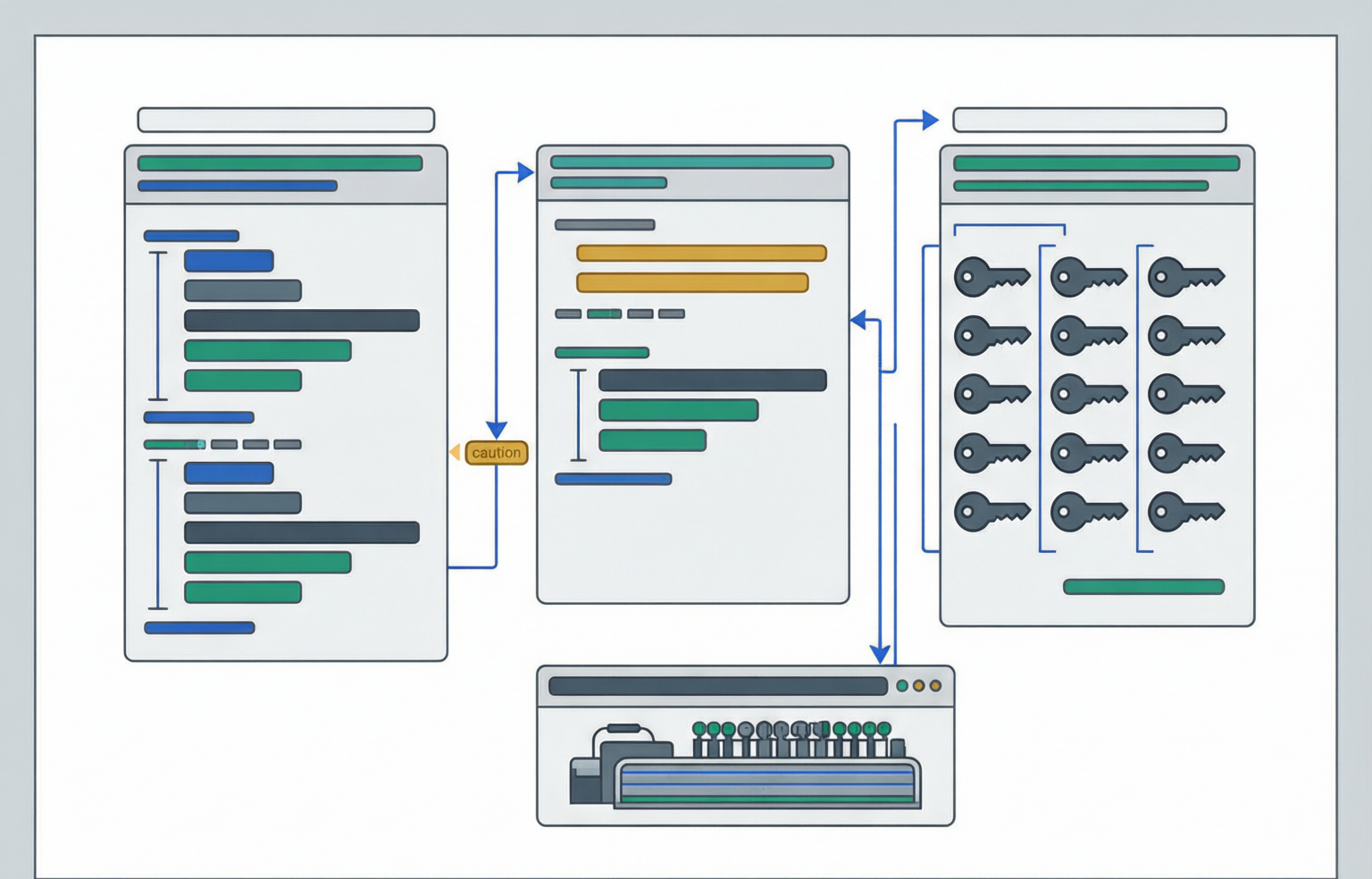
Configuration formats look interchangeable because they describe the same tree. They are not, because only one of them puts the type of every value in the bytes. A JSON document states that a field is a string, a number, a boolean or null, and nothing in the reader can disagree. YAML states the characters and lets the reader decide, and two readers of the same file can decide differently while both are correct. Every silent config bug in this page comes from that gap: a country code becoming false, a version becoming a float, a duplicate override disappearing, a second document being dropped, and a password that happened to look like a boolean being rewritten on the way through a converter.
The workflow
JSON as the pivot format
The YAML 1.2 specification says it plainly in section 1.2: making YAML a strict superset of JSON was the primary focus of that version. Any JSON you write is a valid YAML document, and a YAML 1.2 parser reading it reaches the same node graph the JSON parser reached. The pivot is therefore asymmetric in a useful direction: converting YAML to JSON forces every undecided type to be decided once, in one place, with a report attached; converting JSON to YAML never has to guess, because the input already carries the answer. The bad direction is the one teams take: YAML to YAML in a single step where nothing is written down about what the types became.
country: "NO"      # explicit: stays a string
enabled: "on"      # explicit: stays a string
replicas: 2        # explicit: a number in every format
---
{
  "country": "NO",
  "enabled": "on",
  "replicas": 2
}
In JSON, unquoted NO is a syntax error. In YAML it is a boolean. That asymmetry is the entire argument for the pivot: the YAML block form is what you ship, the JSON form is what you audit.
Run a file through `YAML to JSON` and three things become visible: the resolved type of every plain scalar with its YAML 1.2 and 1.1 answers side by side, the structural findings (tab-indented lines, duplicate keys, document count, anchor and merge-key counts), and whether the file parses at all under a strict 1.2 parser. The reverse hop is where protection is added: `JSON to YAML` quotes any string that a YAML 1.1 reader would resolve to something else, and tells you which values it did that for, so a diff of a generated manifest can be read as a set of decisions rather than a wall of quotes. Strings that no reader would mistype, like 1Gi or nginx:1.14.2, are written unquoted, which is why the output stays reviewable.
Type coercion
Implicit typing: the Norway problem and its siblings
The YAML 1.1 boolean type registry resolves y, n, yes, no, true, false, on and off to booleans, matched without regard to case. The YAML 1.2 core schema keeps only true and false. So the same two bytes mean two things, and the file that shipped to production was valid under both readings. The canonical victim is the ISO 3166-1 alpha-2 code for Norway: country: NO is, to a 1.1 reader, the boolean false.
| As written | YAML 1.1 resolves to | YAML 1.2 core resolves to | After YAML to JSON | Report risk |
|---|---|---|---|---|
| country: NO | boolean false | string "NO" | "country": "NO" | high |
| country: no | boolean false | string "no" | "country": "no" | high |
| flag: y | boolean true | string "y" | "flag": "y" | high |
| cache: off | boolean false | string "off" | "cache": "off" | high |
| mode: ON | boolean true | string "ON" | "mode": "ON" | high |
| answer: true | boolean true | boolean true | "answer": true | none |
| kind: String | string "String" | string "String" | "kind": "String" | none |
High means a 1.1 reader changes the type; none means both versions agree.
The Norway problem is the one with a name. Its siblings are less famous and more frequent, because they hit values that look safe: a version number, a time of day, a file mode, a build date. Each is a plain scalar whose 1.1 resolution differs from its 1.2 resolution, and three of the four are also lossy:
version: 1.10        # becomes the float 1.1: the trailing zero is gone
appVersion: "1.10"   # stays the string 1.10
start: 1:30          # YAML 1.1 sexagesimal: the integer 90
break: 12:30         # YAML 1.1 sexagesimal: the integer 750
build: 2024-01-01    # YAML 1.1 timestamp: a date object, not text
mode: 0755           # YAML 1.1 octal: the integer 493
zip: 010             # flagged high risk on the leading zero
count: 9007199254740993   # longer than a double can hold exactly
Eight values, none of which is the type a reader expects without help.
Four mechanisms. Versions become floats: the float nearest to 1.10 prints as 1.1, so the version string loses a character and the manifest names an image tag that does not exist. Clock times become base-60 integers: under the 1.1 sexagesimal rule, 1:30 is ninety and 12:30 is seven hundred and fifty. Dates become date objects: the 1.1 resolver treats a bare ISO date as a timestamp, so what comes back out depends on the library — an epoch number, or an ISO string with a time zone appended, never the text you wrote. Padded numbers become octal: 0755 resolves to the integer 493. YAML 1.2 removes leading-zero octal altogether; an octal value must use the explicit 0o prefix.
| Value shape | Safe unquoted in YAML 1.2? | Safe unquoted in YAML 1.1? | What to write instead |
|---|---|---|---|
| 1Gi, 500m, nginx:1.14.2 | yes, string in both | yes, string in both | leave it alone |
| 1.10, 2.13, 0.9 | no, becomes a float | no, becomes a float | quote it |
| 1:30, 12:30 | yes, string | no, becomes an integer | quote it |
| 2024-01-01 | yes, string | no, becomes a timestamp | quote it |
| 0755, 010, 007 | no, ambiguous | no, becomes octal | quote it |
| NO, on, y, String | yes, string | no, becomes a boolean | quote it |
| 1234567890123456789 | number, may lose digits | arbitrary-size integer in 1.1 | quote it, or use a string field |
The YAML 1.1 integer registry states that integers represent arbitrarily sized finite mathematical integers. JavaScript has no such type, which is why the long-integer row is a precision question.
Structure
Structural hazards: tabs, duplicates, anchors, multi-document
Beyond type coercion, four structural problems break config files silently. Each is legal-ish in at least one format, tolerated by some tools and rejected by others, and invisible in a text diff until the apply fails.
Tab indentation
Section 6.1 of the YAML 1.2 specification requires that tabs must not be used in indentation. Block structure in YAML is defined by column positions, and a tab advances the cursor by an amount the language does not define, so two readers can legitimately disagree about where a mapping ends. The dangerous tab is the one that parses: a file that mixes a tab-indented line with space-indented siblings can place a key one level deeper or shallower than it looks, which in a manifest means a container field landing in a pod spec. No parser complains, no schema catches it, and the rendered YAML looks correct in every viewer that expands tabs to four columns.
spec:
	replicas: 2
	strategy:
	  type: RollingUpdate

# Four lines start with a tab. The file may parse in a tolerant
# reader and place strategy under the wrong parent, or fail.
Indentation is the only structure this file has. The cheapest cure is the pivot: YAML to JSON ignores indentation once parsing succeeds, and JSON to YAML re-emits with uniform spaces.
Duplicate keys
A mapping with the same key twice is legal-ish in JSON and tolerated in YAML, and every tool in the chain chooses differently. RFC 8259 says names SHOULD be unique, which is a recommendation, not a prohibition. The consequence is data loss by default: parsers that build a map keep one value per name, and the overwhelmingly common behaviour is last-value-wins.
| Reader | Reports | Keeps | Practical effect |
|---|---|---|---|
| JSON validator and formatter | a duplicate-key warning naming both positions | both members when printing | the file you copy out still has both, so the bug travels |
| JSON to YAML converter | the same warning | the last value only | the earlier value is silently dropped on conversion |
| YAML to JSON converter | a duplicate-key warning with position | the last value only | two overrides for one field, only the last applied |
| JavaScript JSON.parse | nothing | the last value only | loss with no diagnostic at all |
| kubectl apply (validate=strict) | an error | nothing is applied | the request fails on duplicate fields |
| kubectl apply (validate=ignore) | nothing | whatever the server drops | silently drops unknown or duplicate fields |
| TOML 1.0.0 parsers | an error | n/a | defining a key multiple times is invalid |
The Kubernetes validate flag defaults to strict. A conversion bug that reaches a cluster with validate=ignore becomes drift, not an error.
Duplicates almost always arrive by merge, not by typing: two people add a field to the same mapping, a chart template appends an override block, or an operator pastes a patch under the original rather than into it. YAML makes this worse than JSON, because in a block mapping the second occurrence can be twenty lines below the first and still be the same key.
Anchors, aliases and merge keys
An anchor names a node, an alias refers to it, and a document that uses them describes a graph rather than a tree. JSON has no equivalent. This is the single largest piece of information a config file can lose on the way through a converter, and it is lost twice: once when the pipeline reads the file, and again when a human edits the converted copy.
defaults: &defaults
  restartPolicy: Always
  imagePullPolicy: IfNotPresent

services:
  web:
    <<: *defaults
    port: 8080
  worker:
    <<: *defaults
    port: 9090
  shared:
    *defaults
One definition, three references. After conversion to JSON this is four copies of the same two fields and no trace of the relationship between them.
Merge keys (<<) are not part of the YAML 1.2 core schema, so support is a property of the loader rather than the language — a file that depends on them changes meaning when you change tools. The double-read failure is the one that bites: a tool loads YAML, expands aliases into plain values, mutates one copy, and writes the file back. The output is correct at the moment of writing and wrong from the next edit onward, because the shared node is gone and each copy is now independent. If the anchors are load-bearing for humans, treat the YAML as the source of truth and never round trip it through JSON. If they are only a way of avoiding repetition for the machine, flatten them on purpose and record that the flattening happened.
Multi-document streams
A YAML stream is a sequence of documents separated by the --- marker. Kubernetes multi-object manifests, Helm templates, and Spring profile documents all live in this form. It is the structure most likely to be silently truncated by a tool, because a converter that loads one document produces a perfectly valid result. Spring Boot defines semantics for the separator: later documents override earlier ones, with conditional activation through spring.config.activate.on-profile. A converter that keeps only the first document changes which port the service listens on.
apiVersion: v1
kind: Namespace
metadata:
  name: shop
---
apiVersion: apps/v1
kind: Deployment
metadata:
  name: web
spec:
  replicas: 3
---
server:
  port: 8080
---
spring:
  config:
    activate:
      on-profile: prod
server:
  port: 7443
Convert the first document and you get a Namespace and lose a Deployment, a base config and a prod override.
Before converting a file you did not generate, count the separators, not the keys. If the count is greater than one and a tool needs one document, name the files after the documents — that is what the separator was for.
Values in transit
Secrets and interpolation
Configuration files accumulate credentials: DSNs, tokens, the SMTP password, a signing key pasted in for staging. A converter handling those values has exactly one obligation, and it is negative: change nothing. Not the characters, not the case, not the whitespace at either end, not the encoding, and not the type. Every one of those transformations is a way to produce a config file that looks correct and authenticates forever.
Four ways a converter damages a secret. Type coercion: a random password that looks like a YAML scalar — no, on, 1e5, 0755, 2024-01-01 — is quoted on write so it stays a string. Escaping drift: a value containing a backslash or control character must be re-encoded when the format changes; anything that escapes more than the grammar demands produces a file whose secret is byte-different from the one you pasted. Invisible characters: credentials copied from documents arrive with a no-break space or zero-width joiner, which the JSON scanner reports as an error naming the code point. Interpolation: a converter that expands variables writes the secret into the output — nothing in the converters on this site substitutes environment values, which is a deliberate design limit.
Interpolation: compose, Helm, CI and the environment
Three ecosystems spell the same idea differently, and the differences are the bugs. All three substitute values into a document before or during parsing, all three read from the environment, and none of them agree on what happens when the variable is unset, empty, or contains a newline.
| System | Syntax | When it expands | Failure mode |
|---|---|---|---|
| Docker Compose | ${VAR:-default}, ${VAR:?required} | before the YAML is parsed, in values only | an unset variable producing an empty string that a required field then rejects |
| Helm | Go template actions, and --set on the command line | at render time, into a YAML document that is then parsed | a rendered value that changes type when the template output is reparsed |
| Helm values files | none, the file is plain YAML | not at all | every coercion in this page, because values are typed before templates see them |
| CI runners | their own delimiter, and the shell delimiter inside a step | expressions before parsing, shell variables during execution | a multiline secret spliced into a block scalar and breaking indentation |
| Spring Boot | placeholders in the file, environment variables outside | during property source resolution, after parsing | a placeholder that resolves against the wrong property source in the order |
Substitution before parsing is convenient and unsafe; substitution after parsing is verbose and safe. Helm sits in the middle and inherits both problems.
Three questions to ask about any substitution. Does it apply to keys or only to values? Compose expands inside values; Spring Boot relaxed binding lets SPRING_CONFIG_NAME bind to spring.config.name. What is the difference between unset and empty? Compose distinguishes them with different operators; Helm renders an unset value as <no value>, discovered only when the rendered manifest fails validation. What if the substituted text is not a scalar? A private key or multi-line script pasted into a value produces a document that is no longer well-formed — the first newline resets indentation, and a line beginning with three hyphens is read as a document separator. The fix is structural: use a block scalar with an explicit indentation indicator, or keep the payload in a file the platform mounts.
Round trips
From API response to config and back
The workflow that generates the most config in real shops is: read the current state from an API as JSON, reshape it into a file humans own, apply it, and later read the state again to check that nothing drifted. Each hop has a specific failure, and they are all visible in the JSON, which is why the pivot is worth the extra step.
1. GET /apis/apps/v1/namespaces/shop/deployments/web   -> JSON
2. strip server-owned fields (status, uid, resourceVersion, creationTimestamp)
3. JSON to YAML with protection on          -> the manifest you commit
4. apply with strict validation              -> the API owns the truth again
5. GET again, convert the new response to JSON, diff against step 1
Step 2 is where types get decided for real. Step 5 is the only drift check that does not depend on the file you wrote.
Kubernetes objects are convenient to edit as YAML, but the API documents the same fields and kubectl converts a manifest into JSON when making the request. The authoritative representation is the JSON projection; a converted manifest is a rendering. Three things the JSON tells you that the YAML will not. Numbers that are identifiers: a JSON number is a double, so a fifteen-plus-digit ID in a response is already approximate — an exported object must be re-checked for long numeric strings before it becomes a config value. Timestamps: a creation timestamp arrives as a quoted ISO string, which is exactly right, and becomes a date object if you re-emit it in YAML without quotes. Null and absent: in JSON they are different — a key with the value null and a key that is not present — and a loader that distinguishes them should keep the JSON form until the final emit.
The alternative
TOML: explicit types
TOML exists as a reaction to everything in the previous sections. Its stated aim is a minimal configuration format whose semantics are obvious: every value is written in the type it means, keys are always strings, and a document that does not parse is an error rather than a surprise.
| Rule | Verbatim behaviour | Which problem it ends |
|---|---|---|
| Booleans | only the lowercase tokens true and false | NO, on, y and off staying strings is not even a question |
| Integer literals | leading zeros are not allowed; hex, octal and binary carry explicit prefixes | the 0755 and 010 octal ambiguity |
| Floats | IEEE 754 binary64 values | silently agreeing that 1.10 and 1.1 are the same value, then writing it |
| Date-times | RFC 3339 forms, with date-only and time-only variants | an unquoted date becoming a date object |
| Duplicate keys | defining a key multiple times is invalid | the last-wins override that survives a YAML conversion |
| Indentation | treated as whitespace and ignored | the tab question, because structure comes from table headers |
| Strings | basic, literal, and multi-line variants with a defined escape list | a secret or Windows path rewritten by the wrong escaping rule |
Every row is a trade: TOML removes implicit typing by giving up block structure, and there is no anchor, alias or merge facility at all.
YAML  country: NO        version: 1.10     mode: 0755      start: 1:30
JSON  "country": "NO",  "version": "1.10",  "mode": "0755",  "start": "1:30"
TOML  country = "NO"    version = "1.10"    mode = 0o755    start = "1:30"

YAML 1.1 readers: boolean false, float 1.1, integer 493, integer 90
YAML 1.2 readers: string NO,     float 1.1, number 755,   string 1:30
JSON readers:     the four quoted strings above, in every implementation
TOML readers:     a parse error for every one of them unquoted
TOML has no bare NO, no leading-zero decimal, and no colon-separated number. The failure mode it does share is that a float is a float, so versions are strings or nothing.
Adoption is uneven in a way that tells you something. Python packaging standardised on TOML for pyproject.toml, Rust uses TOML for every Cargo.toml, and container and CI configuration is mostly YAML. A dependency manifest is generated and validated by a compiler, so explicit types cost nothing, while a Kubernetes manifest is written by a human and read by a server, so block structure and comments earn their keep. When picking a format for a new service, the honest question is who writes the file and whether a wrong type is caught by something.
Shipping
Review checklist and runbook
Config diffs are the least reviewed changes in most repositories, because they look like text and behave like code. The checklist below is ordered by how often each item is wrong, and every line is answerable in under a minute with the pages linked here.
| # | Check | What passing looks like | How to check it |
|---|---|---|---|
| 1 | Quoting | no plain scalar that is a code, flag, version, time, date or padded value | the implicit-resolution report, which lists every one with its line |
| 2 | Types at the boundary | every string in the schema is a quoted string in the file | convert to JSON and read the value types |
| 3 | Tabs | zero tab-indented lines | the tab-indent finding, or grep for a leading tab |
| 4 | Duplicate keys | zero duplicates in any object or mapping | the validator warning with both positions |
| 5 | Documents | the separator count matches the intended object count | the multi-document info finding with its count |
| 6 | Anchors and merge keys | either intentional and preserved, or flattened on purpose | the anchor and merge-key counts |
| 7 | Structural YAML | block scalars end correctly, no colon-space in an unquoted value | a successful strict parse is the check |
| 8 | Precision | no integer above fifteen digits unquoted, no float used as an identifier | the unsafe-integer and precision-loss warnings |
| 9 | Encoding | no byte order mark, no invisible whitespace, no lone surrogate | the validator warnings, each naming a code point |
| 10 | Interpolation | every substituted name has a default or a required marker | read the diff for dollar signs, and check the env file |
| 11 | Secrets | nothing new is committed, nothing was pasted into a remote service | the file list of the diff, not the diff body |
| 12 | Strict decoding | the apply path runs with validation on, not ignore | the pipeline command, quoted in the PR description |
Checks 1 to 7 are properties of the text. Checks 8 to 12 are properties of the pipeline that produced it.
The set of values to quote is closed and short enough to memorise. Quote: any two-letter code, any single-letter value, the words on, off, yes and no in any capitalisation, any version or tag, any clock time, any bare date, any value with a leading zero, any value with leading or trailing space, any value containing a colon followed by a space, and any integer longer than fifteen digits. Leave unquoted: real booleans, real numbers you intend to be numbers, and quantities with unit suffixes such as memory and CPU limits, which no reader resolves to anything but a string.
Which page to open at each step
| Step | You are doing this because | Open |
|---|---|---|
| 1. Describe | the file was written by someone else and you need to know what it says | `YAML to JSON` |
| 2. Decide types | a value changed type somewhere, or you want to prevent it changing | `YAML to JSON` |
| 3. Pivot | you need an explicit, comparable representation of the config | `YAML to JSON` |
| 4. Audit the JSON | duplicate keys, huge integers, invisible whitespace | `JSON Validator` |
| 5. Reshape | the payload came from an API and must become a file humans own | `JSON Formatter` |
| 6. Emit YAML | the destination wants a manifest, a values file or a CI file | `JSON to YAML` |
| 7. Compare formats | the team is choosing between YAML, JSON or TOML | `YAML vs JSON` |
| 8. Handle encodings | a value is base64, a URL, or a DSN that must be escaped | `Base64` |
| 9. Debug the API side | the same object read back does not match the file you applied | `API Debugging` |
Steps 1, 3 and 6 are the same file three times. That is the point: the intermediate form is where the reading happens, so the final form can stay a rendering.
- implicit resolution
- The rule that a plain, unquoted YAML scalar is given a type by the reader rather than the writer. The same text can resolve differently between YAML 1.1 and 1.2.
- pivot format
- A format whose representation leaves nothing to decide. JSON is used here: YAML goes in, explicit types come out, and the reverse hop only adds syntax.
- protected value
- A string the YAML writer quoted so that a 1.1 reader cannot resolve it to a boolean, integer, float or timestamp. Listed with a reason in the conversion result.
- strict decoding
- A loader refusing input it does not fully understand. Kubernetes validate defaults to strict and fails on unknown or duplicate fields; ignore drops them silently.
- document stream
- One YAML file containing several documents separated by three hyphens. Consumers either load all or keep only the first, and a converter that keeps the first still reports success.
- merge key
- The YAML 1.1 construct that splices an anchored mapping into another. Not part of the 1.2 core schema, invisible in JSON, and flattened the moment anything reads the file.
Answers
Questions about converting configuration files
Is YAML really a superset of JSON?
For YAML 1.2, yes: any valid JSON document is also a valid YAML document with the same node graph. Two caveats: YAML 1.1 is not that language, so the same bytes can resolve to different scalar types; and JSON features YAML has no syntax for, such as duplicate keys in one object, collapse when read as YAML. That is why JSON is a safe intermediate and a poor final answer for anything with comments.
Can FmtTools convert TOML files?
No. Correct TOML output needs date-time types, dotted keys, table headers and array-of-tables semantics that the YAML and JSON engines here do not model. The supported path is TOML to JSON using the parser that ships with your build tool, then JSON to YAML here for anything that must end up as a manifest. The format comparison is on the YAML vs TOML page.
Is it safe to paste production config here?
Safer than pasting it into a service, and still not the recommended habit. Every converter parses and rewrites the text inside the browser tab and offers the result as a download; nothing is uploaded. That is the relevant property for config containing credentials, because a server-side converter has to move the secret in order to convert it. The remaining risk is the output: a converted file you commit is a new copy of every secret in it.
Which format should a new service use for config?
Whichever one the loader reads natively, with JSON as the exchange format between systems. If humans edit the file, use YAML with quoting discipline or TOML. If machines generate it, generate JSON. Kubernetes manifests are YAML by convention and serialised to JSON for the API request; Helm values files are plain YAML; TOML exists to make configuration semantics explicit rather than inferred.
Related
Next up
Sources and further reading
- [1]YAML Specification Version 1.2.2 — Section 1.2 states YAML is a strict superset of JSON; section 6.1 forbids tabs in indentation; section 6.9 covers anchors and tags, section 7.1 aliases, chapter 9 documents and the document-start marker, chapter 10 the schema layer with resolved scalar types. (accessed November 12, 2026)
- [2]YAML 1.1 Boolean Type Registry — The plain scalar values that resolve to a boolean in YAML 1.1: y, n, yes, no, true, false, on and off, matched case-insensitively. This is the source of the Norway problem. (accessed November 12, 2026)
- [3]YAML 1.1 Integer Type Registry — The YAML 1.1 integer resolution rules, including the sexagesimal pattern with base-60 groups. (accessed November 12, 2026)
- [4]Kubernetes: Working with Kubernetes Objects — Manifests may be provided in JSON but are YAML by convention; kubectl converts the manifest into JSON when making the API request. (accessed November 12, 2026)
- [5]kubectl apply reference — The validate flag: strict or true, warn, or ignore or false, defaulting to strict. Ignore silently drops unknown or duplicate fields. (accessed November 12, 2026)
- [6]Helm: Values Files — Values files are plain YAML files, which subjects every Helm value to YAML scalar resolution before the template sees it. (accessed November 12, 2026)
- [7]The TOML Configuration File Language, version 1.0.0 — Key syntax, basic and literal strings, integers with no leading zeros, floats as IEEE 754 binary64, lowercase-only boolean tokens, RFC 3339 date-time forms, table headers, and the rule that defining a key multiple times is invalid. (accessed November 12, 2026)
- [8]Spring Boot: Externalized Configuration — YAML is a superset of JSON and may be used as an alternative config format; one format per application is recommended; multi-document YAML separated by three hyphens with later documents overriding earlier ones. (accessed November 12, 2026)
- [9]The Twelve-Factor App: Config — The argument for storing config in the environment: easy to change between deploys without changing any code. (accessed November 12, 2026)