
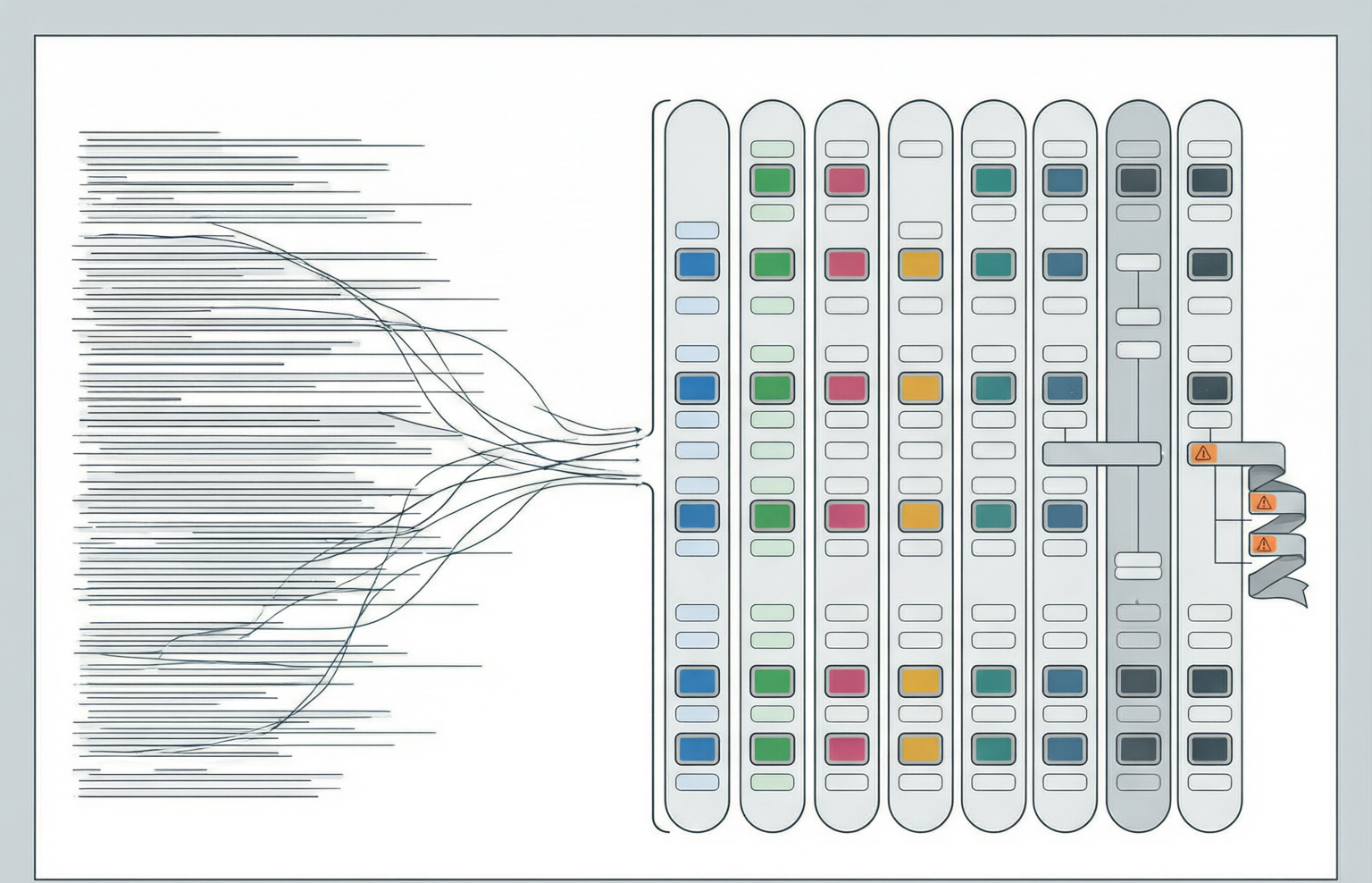
A production log file is usually a very good JSON document and a very bad one at the same time: every line is valid, and the file as a whole is a syntax error. This page is the runbook for that gap. It starts with the grammar rule that causes the problem, then works through the things that make real logs hard to read after that: records that were written by two processes at once, JSON buried inside a string, base64 buried inside a field, timestamps in three different units, identifiers that lose digits when they pass through a number, and single lines large enough to defeat a clipboard.
Start here
The one-value rule and recognising NDJSON
RFC 8259 defines a JSON text in one production: JSON-text = ws value ws. One value, optionally surrounded by whitespace. There is no production for a second value, and no separator token, which means a file that contains {"level":"error"} followed by a line feed and then {"level":"info"} is not a JSON text at all. Everything else about newline-delimited logging is a convention layered on top of that silence. The JSON Lines convention states that each line is a valid JSON value, the terminator is a line feed, and empty lines are not allowed. The same convention is published under the name NDJSON, with the media type application/x-ndjson. None of that is an RFC.
Paste the four-record file below into the JSON validator and the report is deterministic. The scanner consumes the first object completely, skips the line feed, finds another value where the grammar allows none, and stops with the message More than one value at the top level. at line 2, column 1, offset 118.
{"ts":"2026-11-12T03:14:15.926Z","level":"error","svc":"checkout","msg":"payment gateway timeout","trace":"a3f19c2e"}
{"ts":"2026-11-12T03:14:15.927Z","level":"info","svc":"cart","msg":"cart rebuilt","user":"8741220"}
{"ts":"2026-11-12T03:14:16.004Z","level":"warn","svc":"checkout","msg":"retry 1 of 3","trace":"a3f19c2e"}
{"ts":"2026-11-12T03:14:16.411Z","level":"info","svc":"checkout","msg":"payment accepted","trace":"a3f19c2e"}
117 + 99 + 105 + 109 bytes of records, plus four line feeds, is 434 bytes. Nothing here is malformed; all four lines are valid JSON documents.
| Framing | Record delimiter | Standard status | What a JSON parser does with it |
|---|---|---|---|
| One JSON array of objects | Commas, brackets anywhere | Plain RFC 8259 | Parses. This is the target shape for the tools on this page. |
| NDJSON / JSON Lines | Line feed (U+000A) after each value | Convention with its own spec site, not an RFC | Error at the second value: more than one value at the top level. |
| JSON text sequence | Record separator U+001E before each value | RFC 7464, media type application/json-seq | Error at the RS byte: the control character cannot start a value. |
| Pretty-printed array in one file | Whitespace, significant only inside strings | Plain RFC 8259 | Parses, but is useless for line-based shipping and forbidden in bulk bodies. |
| Concatenated objects, no whitespace | None | Not a format; called JSON streams informally | Error at the second opening brace, and repair mode may guess. |
Only two of those five are specified by an RFC: plain JSON and JSON text sequences. Everything else is convention.
Recognising the format before you parse it
Before you convert anything, confirm the diagnosis. The JSON formatter does this with a second, independent check: after the strict parse fails, it splits the input on line breaks, trims each line, discards the empty ones, and if at least two non-blank lines remain it validates every one on its own. Only when all of them parse does the error banner add a sentence: every line parses on its own, so this looks like newline-delimited JSON with N records. That number is a record count obtained without converting anything, and it is a strictness test: N records, all parsing individually, means the NDJSON hypothesis holds and the file is safe to wrap. If the sentence does not appear, the reason is almost always a torn line, a multi-line value, a header or footer that is not JSON, or a truncated final record.
| Method | Counts | Fails when | Disagreement tells you |
|---|---|---|---|
| Formatter note | Non-blank lines that each parse alone | any line is torn or multi-line | a silent stop: the note is absent, so the file is not clean NDJSON |
| Input pane line stat | Line feeds plus one | the file has no trailing newline, or a value contains one | off by one at the tail is normal; off by more is a multi-line record |
| Byte arithmetic | Sum of record bytes plus one LF each | records contain a line feed or the encoding is not UTF-8 | bytes above the sum means embedded newlines or multibyte characters |
| Stats after wrapping | Records in the array root | the document fails to parse | fewer records than lines means a lost record |
Run all four on the same file before you analyse it. This is the whole of the integrity check.
Wrapping lines and JSON text sequences
Three ways get a file of records into a JSON array, and they are not equivalent. One preserves every digit of every number and every duplicate key; one of them does not, and the reason is where the bytes go.
| Route | What happens to the text | Preserves digits | Reports record count |
|---|---|---|---|
| Wrap by hand, then strict format | Only structural characters are added; record text is untouched | Yes, numbers print from the parse tree | Count it yourself, then check Records in the stats |
| Repair mode in the formatter | The stream is re-parsed into a value and re-serialised | No: values pass through a double | Yes, in the fix list: N top-level values became 1 array |
| A streaming converter outside the tab | Depends on the tool; most re-serialise | Usually no | Yes, and it works above tab memory limits |
If the file is small enough to paste and contains no long numeric identifiers, the first route is the safest and the cheapest.
The transformation is three characters of punctuation per boundary. A bracket before the first line, a comma in place of each line feed between records, and a bracket after the last. For the four-record file: 430 bytes of records plus three commas plus two brackets is 435 bytes, one byte more than the 434-byte file it came from. Nothing else changes. Then format it. The JSON formatter prints from the parse tree rather than from a rebuilt value, which is the detail that matters: numeric literals are re-emitted exactly as written, so a 19-digit identifier survives as 19 digits even though no double could hold it. Key order survives, and duplicate keys are printed as both members instead of silently collapsing.
[
{"ts":"2026-11-12T03:14:15.926Z","level":"error","svc":"checkout","msg":"payment gateway timeout","trace":"a3f19c2e"},
{"ts":"2026-11-12T03:14:15.927Z","level":"info","svc":"cart","msg":"cart rebuilt","user":"8741220"}
]
Two of the four records shown for space. Mixing the comma and the line feed is legal: whitespace between values is insignificant.
Repair mode exists for JavaScript-flavoured payloads, and it also happens to collect a top-level sequence into an array. Its fix list is explicit: it found N values where RFC 8259 allows exactly one and collected them into one array. The mechanism, however, is re-serialisation: a number too large for a double is rounded before it is printed, and a key that appears twice keeps its last value. None of this makes repair mode wrong; it makes it a transform rather than a viewer, and a transform needs a verification step.
Records that contain newlines: JSON text sequences
NDJSON has one fatal assumption: the line feed cannot appear inside a record. RFC 7464 solves this by prefixing every element with RS, the record separator control character U+001E, and terminating with a line feed. The media type is application/json-seq. The consequence of putting the delimiter before the value rather than after it is the point of the whole design: a consumer that is cut off mid-element can tell, because the partial element has no following RS. Paste a real sequence into the JSON validator and you get an unexpected token at line 1, column 1: the leading RS byte is a control character that cannot start a value. The fix is mechanical: replace each RS with nothing, keep the line feeds, and treat the result as NDJSON.
| Property | NDJSON / JSON Lines | JSON text sequence (RFC 7464) |
|---|---|---|
| Standard | Convention with its own spec site | An RFC, with a registered media type |
| Delimiter | Line feed after each record | Record separator U+001E before each record |
| A record may contain a raw line feed | No, and nothing detects the violation | Yes; the framing does not care about line feeds |
| Truncated final record | Indistinguishable from a record | Detectable: no closing delimiter after it |
| Readable with grep and jq | Yes, universally | Rarely; jq does not read it without a preprocessing pass |
| Who uses it | Log shippers, bulk APIs, Kafka file sink | MongoDB extended JSON, streaming protocols |
Pick NDJSON when humans must inspect the file and the writer escapes strings correctly. Pick sequences when it may not, or when a stream can be cut mid-record.
Concurrency
Torn lines and JSON trapped inside strings
A torn line is what happens when two processes write to the same file and neither write is the unit of atomicity you assumed. The usual mechanisms: two descriptors opened without append mode, a buffered writer whose flush boundary falls inside a record, a record larger than the atomic-write limit of the channel it travels through, or a rotation that swaps the inode between a record's head and its tail. In every case the JSON is not corrupted. Two complete records are interleaved into one long byte string, and the fragments are what you have to recognise.
Take the fourth record of the sample file, the 109-byte line that ends payment accepted. Cut it at 77 bytes and the validator gives you a specific answer, because the cut falls inside a string: the first error is String is never closed. at line 1, column 72, offset 71. The remaining 32 bytes produce an equally specific answer: nt accepted","trace":"a3f19c2e" starts with a bare word, so the scanner reads it as an unquoted key.
HEAD (77 bytes)  {"ts":"2026-11-12T03:14:16.411Z","level":"info","svc":"checkout","msg":"payme
                 error: String is never closed.   line 1, col 72

TAIL (32 bytes)  nt accepted","trace":"a3f19c2e"}
                 error: "nt" is not quoted.       line 1, col 1
77 plus 32 is the original 109. The error pair, an unterminated string in one fragment and an unquoted key at column 1 in the other, is the signature of a split record.
The second pattern is the more dangerous one, because it imitates a different problem. When a writer finishes a record and another writer's leftover text follows the closing brace on the same line, the error is the same More than one value at the top level. you get from a whole NDJSON file. Read the offset: on a real NDJSON file it points at the start of line 2, and on an interleaved line it points at a position inside line 1. Same message, two entirely different causes, and the offset is the only thing that distinguishes them. The formatter's per-line check is a torn-line detector by construction: the newline-delimited note appears only when every non-blank line parses alone.
| Fragment shape | Reported error | Recoverable? | What to do with it |
|---|---|---|---|
| Head cut inside a string value | String is never closed, at the value quote | Yes, if the tail is found | Concatenate with the matching tail, then re-validate |
| Tail beginning with bare text | An unquoted key at column 1 | Yes | Match it to a head by byte length; discard if the head is gone |
| Complete object plus orphan text on one line | More than one value at the top level | Yes: keep the object, drop the orphan | Check the offset against the line start before blaming NDJSON |
| Record missing its closing brace at EOF | Object is missing its closing brace | Only by truncating the file | Tail-follow with a framing-aware reader, or accept sequences |
| Two full records on one line, no fragments | More than one value at the top level | Yes, trivially | A writer that omitted its line feed; fix the appender |
Prevention belongs to the writer, not the reader: one write call per record, append mode, a per-process file when several processes share a directory.
JSON trapped inside a string field
The most common structural surprise in application logs is a field whose value is a JSON document that has been serialised into a string. It happens whenever a framework logs a request body by calling its JSON encoder twice. The result is legal, self-describing and unreadable. The inner document below is 117 bytes and contains twenty quote characters. Stored as a JSON string value it becomes 139 bytes: twenty backslashes plus the two quotes that wrap the value.
{"ts":"2026-11-12T03:14:16.411Z","level":"debug","svc":"checkout","msg":"upstream request","body":"{\"method\":\"POST\",\"path\":\"/v2/payments\",\"headers\":{\"Content-Type\":\"application/json\"},\"amount\":49.99,\"currency\":\"EUR\"}"}238 bytes. The body value is one JSON string of 139 bytes whose text is a 117-byte JSON document.
Un-nesting is two steps and one paste. Take the characters between the outer quotes, leaving the outer quotes behind; then replace each backslash-escape pair with the character it stands for, in this order: \" to a quote first, and \\ to a single backslash last, because reversing those two produces a mangled document. Then paste the result into the JSON formatter. If it indents, you had one level; if it still shows a string full of backslashes, you have a doubly-encoded payload and you repeat the pass.
{"method":"POST","path":"/v2/payments","headers":{"Content-Type":"application/json"},"amount":49.99,"currency":"EUR"}117 bytes, twenty quotes with no backslashes, and now every key in it is searchable, greppable and validatable as JSON.
| Depth | What the line contains | Quote cost | Tell in the tool output |
|---|---|---|---|
| 0 | A normal nested object | no escaping | Outline shows keys and types; validator counts objects |
| 1 | A string whose text is a JSON document | one backslash per embedded quote | One string value marked long text; braces visible inside it |
| 2 | A string whose text is a string whose text is a document | backslash-backslash-quote per quote | Three characters per quote in the raw line; two un-nest passes |
| 1, written defensively | Quotes escaped as the six-character code point form | six characters per quote | Search for the u0022 sequence; some encoders do this to survive a second pass |
| 1 plus base64 | A string that is not JSON text at all | no quotes visible | No braces and no quotes in the value; see the next section |
Depth is measured by how many parsers you must run, not by how ugly the line looks.
Base64 message fields
A log field that is base64 is one of three things: a binary payload somebody needed in a text file, a nested encoding used to smuggle structure through a channel that flattens everything, or an attempt at hiding something that is not hidden. All three need the same first step, which is identifying what the bytes are before you try to read them as text. Base64 characters encode bytes in order, so the first few characters of any value are a function of the first bytes of whatever it holds. Four characters decode to three bytes, which is enough for the magic numbers that matter in logs.
| Field starts with | Decodes to | Meaning | Next step |
|---|---|---|---|
| H4sI | 1F 8B 08 | gzip stream: the payload is compressed, not encrypted | Decode, then inflate; a text dump of the raw bytes is meaningless |
| eyJ | 7B 22 | an opening brace and a quote, so JSON, and usually a JWT segment | Decode as UTF-8 and format; a dotted triple of base64url values is a JWT |
| iVBOR | 89 50 4E 47 | a PNG image attached to a record | Reconstruct the file rather than reading it as text |
| /9j/ | FF D8 FF | a JPEG | Reconstruct the file; check why a log carries images |
| UEsD | 50 4B 03 04 | a ZIP, often a jar, an Office document or an archive of dumps | Extract; look for the manifest or first entry |
| LS0t | 2D 2D 2D | three hyphens, the start of PEM armour such as a certificate or key | Inspect the label on the armour; treat key material as an incident |
| A-Z, digits, no pattern | anything | may be a hex or base-32 string mislabelled, or a token | Test the character set before assuming RFC 4648 |
A value that starts with neither a magic prefix nor a brace is still usually JSON when it decompresses, so try gzip before you try guessing.
The base64 tool reports the variant it detected rather than the one it assumed, because the standard alphabet of RFC 4648 section 4 uses plus and slash while the URL-safe alphabet of section 5 uses hyphen and underscore, and a decoder that guesses corrupts any value containing the substituted pair. It reports the decoded size, whether trailing bits are zero as they must be for a canonical encoding, the type identified from magic bytes, a hex dump of the first bytes, and whether re-encoding reproduces the input byte for byte. Order matters when encodings are stacked, and the stack in logs is almost always escape, then base64, then compression, then JSON. Take the outer escaping out first, exactly as in the previous section, and then decode.
FIELD  "payload":"eyJ1c2VyX2lkIjoiODc0MTIyMCIsInNjb3BlcyI6WyJjYXJ0OnJlYWQiLCJwYXltZW50OndyaXRlIl0sImV4cCI6MTc2MzA3MDg1NX0="
DECODE {"user_id":"8741220","scopes":["cart:read","payment:write"],"exp":1763070855}
77 bytes of payload, 104 characters of standard base64 with padding, 103 characters in base64url where padding is conventionally dropped.
Timestamps, offsets, and why sorting breaks
JSON has no date type. A timestamp in a log record is a string or a number, and the log ecosystem uses both, in at least four conventions, sometimes in the same file after a service migration. Epoch numbers are self-identifying by digit count, within the range of dates anyone is debugging in 2026. All four values below are the same instant to within a millisecond.
| Written as | Digits | Unit | What a naive reader does with it |
|---|---|---|---|
| 2026-11-12T03:14:15.926Z | 24 | RFC 3339 with the UTC designator | Parses to the instant, provided the reader accepts a millisecond fraction |
| 1794453255 | 10 | Unix seconds | Handed to a millisecond clock, it lands on 21 January 1970 |
| 1794453255926 | 13 | milliseconds | Handed to a seconds clock, it lands in the year 58,935 or is rejected |
| 1794453255926000 | 16 | microseconds | Still an exact integer in a double, so it survives a JSON round trip |
| 1794453255926000000 | 19 | nanoseconds | Above the safe integer range: it is not the number you think it is |
A tenth form shows up in old Java logs as a bare number of ticks or a formatted locale string. If the value has no Z, no offset, and is not nine to nineteen digits, it is a string you must decode with a declared layout.
The 1970 date is the most useful symptom in this whole page. A pipeline that reads seconds and hands them to an API expecting milliseconds produces events dated in January 1970, and the only reliable fix is to name the unit in the field. For nanoseconds, the largest integer that survives is 9,007,199,254,740,991, and a nanosecond epoch for the current decade is around 1.79 quintillion, five orders of magnitude past it. The subtlety is that printing the value back out does not look like damage: JavaScript renders the nearest double as 1794453255926000000, the same digits you wrote. What you have lost is resolution: every timestamp within about 128 nanoseconds of the original maps onto the same number.
Offsets, drift and why sorting breaks
RFC 3339 is a small specification, and the grammar is the whole argument: a date-time is a full date, the letter T, and a full time, and the full time includes either the UTC designator or a numeric offset. There is no production for a date-time without a zone, which means 2026-11-12T03:14:15 is not an RFC 3339 value at all. It is ISO 8601 local time, and its meaning depends on a fact the file does not record: the zone the writer was standing in.
2026-11-12T02:14:15.926-01:00   -> 1794453255926
2026-11-12T03:14:15.926+00:00   -> 1794453255926
2026-11-12T03:14:15.926Z        -> 1794453255926
2026-11-12T04:14:15.926+01:00   -> 1794453255926
text sort gives them in exactly this order, 02: before 03: before 04:
Sorting by characters orders wall-clock times, not instants. Equal instants scatter across the ordering.
The version that costs an afternoon is the record whose timestamp has no offset. Parse 2026-11-12T03:14:15 on a host set to UTC+8 and you get 2026-11-11T19:14:15.000Z: the event moves eight hours into the past and, worse, across a date boundary, so it lands in the wrong day partition. Daylight saving adds the last wrinkle: a fall-back hour occurs twice in local time, so two distinct instants share one timestamp text.
| Failure | Mechanism | Symptom in a chart | Test that catches it |
|---|---|---|---|
| Mixed units | Any milliseconds value exceeds any seconds value, so all seconds records precede all millisecond ones | Two blocks with a gap between them | Take the digit count of every epoch value in the column |
| Text sort on epochs | Ten-digit strings compare before thirteen-digit strings | Recent events at the bottom of an ascending sort | Cast to a number before sorting; compare against a byte-length histogram |
| Text sort on offsets | Wall-clock characters order the string, not the instant | A foreign region interleaved wrongly | Normalise every value to Z form, then sort |
| Zone-less local time | The parser supplies its own zone | Events shifted by a constant, sometimes across a day boundary | Parse one record, print it back with the zone, compare |
| Ingest time masquerading | A pipeline that cannot parse the declared field stamps arrival instead | Events clustered on the collector clock, sharp boundaries at deploys | Compare the timestamp field against the record arrival time |
| DST fold | One local hour happens twice | Duplicate timestamps in a single host log | Sort and look for a repeated hour at the transition |
Nothing on this site sorts records. Sort in the system that will hold the records, after normalising the timestamp to one unit and one zone.
Identifiers through a double and giant payloads
Log records are full of identifiers that happen to be digits: trace IDs, snowflake IDs, span IDs, user IDs issued by an ORM, database log sequence numbers, Kafka offsets. When one of those arrives as a JSON number rather than a string, it is no longer an identifier. It is a floating-point approximation of one, and the approximation is silent. The largest integer a double holds exactly is 9,007,199,254,740,991, and a nineteen-digit snowflake such as 1854163187648970752 leaves a JSON round trip as 1854163187648970800: the last two digits are invented. Worse, three consecutive trace IDs from the same service all print as the same number. Put them through a parser, then deduplicate, and you have one event where the system emitted three.
| Identifier | Typical digits | Through a double | Correct handling |
|---|---|---|---|
| Snowflake and similar time-ordered ids | 18 to 19 | Rounded; adjacent ids collapse | String in JSON; 64-bit integer in the database |
| W3C trace context trace id | 32 hex characters | Not a number at all | String; never parse it as a number, ever |
| PostgreSQL bigserial | up to 19 | Rounded above 16 digits | String in transit; bigint in storage |
| Kafka offset | up to 19 | Rounded | String in transit; int64 in the consumer |
| Microsecond epoch | 16 | Exact until about 2255 | Number is safe; document the unit |
| Nanosecond epoch | 19 | Rounded to roughly the nearest 128 ns | Split into a seconds field and a nanosecond field, or use a typed integer column |
The rule that prevents all of this: a value is an identifier when it is compared for equality and never added up. Identifiers are strings, in logs and in JSON.
The strict path and the repair path in our own pages behave differently here. Paste {"id":9007199254740993} into the JSON validator and it reports valid with one unsafe-integer warning. The formatter prints from the parse tree, so the digit string survives formatting unchanged. Repair mode is the opposite: it rebuilds the document from a JavaScript value, and that is where the digits move. To inspect a record without touching its values, use the strict formatter. To make a file queryable, wrap the lines by hand and format strictly. Reach for repair mode only when you have confirmed the input has no long numeric identifiers.
Giant single-line payloads
A log line can be enormous and still be one line: a serialized request body, a base64 image, a feature-flag evaluation containing the whole configuration. The moment a record is bigger than what your clipboard, your terminal and your browser tab are comfortable with, the debugging method has to change from reading to instrumenting. Everything here runs in the tab, so a four-megabyte line is comfortable; a hundred megabytes of NDJSON is not, and the failure mode is a frozen tab rather than an error message. The parser is a scanner over the whole string, so a huge valid record costs one pass, and the error report is designed for the case where you cannot read the line: the validator gives line, column and offset, then a one-line excerpt of roughly twenty-five characters before and ninety after the fault.
| Symptom in the report | Likely cause | How to confirm | What to do |
|---|---|---|---|
| Input ended before a value was found | The line was cut by a copy, a proxy buffer or a field length limit | The offset equals the last byte of the input | Re-export the record; the tail does not exist in the file |
| Object is missing its closing brace | A truncated response body pasted alone | Brace depth never returns to zero | Get the full line, or repair and inspect the partial object |
| Unexpected closing bracket after the top-level value | An extra brace at the end, or two records jammed together | Offset points past the end of the first value | Split at the brace pair and validate each piece |
| Nesting is deeper than 200 levels | A recursive or self-referencing structure logged as data | The depth counter in the stats | The scanner refuses; flatten at the writer |
| More than one value at the top level | NDJSON, an orphan tail after a complete record, or a footer line | Compare the offset with the start of line 2 | See the sections on framing and torn lines |
| Tab unresponsive after pasting | Payload beyond comfortable memory, not a data problem | The byte count in the input pane | Work on one record at a time, or use a streaming tool |
For the shipping and archiving question, the JSON minifier measures the answer: byte savings against the input, and a gzip comparison of both sides.
Once a payload parses, the outline is the tool you want rather than the formatted output. An object line shows its key count with the first twelve members expanded, an array shows its item count and descends only into the first element, and any string longer than forty characters is flagged as long text. That marker is how you find escaped bodies and base64 blobs in a wide record without reading it.
Stack traces and CSV exports
Exceptions are multi-line and JSON strings are not, so a stack trace in a log record is always an escaped thing: a single string value containing backslash-n sequences where the line breaks used to be. A trace with four line feeds and no quotes is 326 bytes raw and 332 bytes as a JSON string value, because each line feed becomes the two-character escape and the value gains its wrapping quotes. Multiply that by a forty-frame stack and the field is routinely larger than the rest of the record combined.
{"ts":"2026-11-12T03:14:16.884Z","level":"error","svc":"checkout","msg":"db failure","stack":"Error: connect ETIMEDOUT 10.4.18.77:5432\n at TCPConnectWrap.afterConnect [as oncomplete] (node:net:1595:16)\n at TCPConnectWrap.callbackTrampoline (node:internal/async_hooks:130:17)\n at GetAddrInfoReqWrap.onlookup [as oncomplete] (node:dns:107:26)\n at Pool._acquire (file:///app/node_modules/pg-pool/index.js:45:12)"}One string, four escape sequences, and every frame of the failure compressed into a single greppable line. This is the correct way to log a trace, and the least readable.
Reading it properly means turning the escapes back into line breaks. The frames are ordered innermost first, so the interesting line is usually the last application frame rather than the first. Two things to check in the record itself: if the exception was serialised by a generic encoder, the cause chain may be nested one level deeper and escaped again, giving you an escape inside an escape — the six-character sequence backslash-backslash-n in a raw file means a newline inside a string inside a string, and you need two un-escape passes.
CSV exports of log queries
Sooner or later a log query becomes a spreadsheet: an alert export, a support attachment, a column of request IDs pasted into a sheet for counting. The exporter flattens your records into columns, and the file that comes back is a text format with no types, which means every typing decision you made in the pipeline is now somebody else's guess. The first trap is the delimiter inside a value: log exports love columns that hold JSON, label sets or user agents, and all three contain commas. The second is column typing: an identifier column that looks numeric is the classic casualty. The third is the timestamp column, which arrives as text and stays as text: sorting it is the wall-clock ordering described earlier. The fourth is the double click: opening a CSV in a spreadsheet re-types columns by content, keeps about fifteen significant digits, and turns free text beginning with equals into a formula.
| Column | What it looks like | What a naive reader does | What to do |
|---|---|---|---|
| @timestamp | RFC 3339 text, sometimes with an offset | Text sort; date filter with an assumed zone | Normalise to Z before exporting, and keep the original in a second column |
| trace_id | 32 hex characters | Nothing dangerous, unless it is numeric-looking | Keep as text; never let it be a number |
| span_id, user_id | 18 to 19 digits | Rounded by a double, by Excel, by the reader | Quote on write; force text on import |
| labels or tags | JSON with commas and quotes | Splits into extra fields if unquoted | Export flattened columns, or quote and re-parse |
| message | Free text, sometimes with newlines | A row count that lies, because quoted newlines are real rows | Check the multi-line cell count before trusting the row count |
| duration_ms | 12.50, 3, 1e3 | Retyped, reformatted, trailing zeros dropped | Type it as a number on purpose, with a documented unit |
| status | 200, 404, padded codes | Leading zeros lost | Force text |
A spreadsheet tops out at 1,048,576 rows and 16,384 columns, so a log export aimed at a grid needs a row budget decided before the query runs.
Which page, in which order
The log-file runbook
Everything above collapses into a sequence with a page attached to each step. Work down it once per incident and the whole file becomes describable in about five minutes.
| # | Step | Open | What you are reading for | Stop condition |
|---|---|---|---|---|
| 1 | Confirm the framing | JSON formatter | Whether the newline-delimited note appears, and the record count it states | No note means a torn or multi-line record: go to step 4 |
| 2 | Get the exact fault positions | JSON validator | Line, column and offset for every error, plus the excerpt window around the first | Any error is a reason not to analyse yet |
| 3 | Wrap without converting | JSON formatter | Byte arithmetic: brackets plus commas, records unchanged | A diff of any record before and after is empty |
| 4 | Hunt the fragments | JSON validator | Unterminated strings and unquoted keys at column 1 in a split file | Every kept record validates alone |
| 5 | Count records twice | Validator stats, then your line count | Records in the array root against non-blank lines | The two numbers are equal |
| 6 | Audit the warnings | JSON validator | unsafe-integer, duplicate-key and byte-order-mark counts | Each warning is explained or fixed at the writer |
| 7 | Un-nest escaped bodies | JSON formatter | Long-text flags in the outline, then the decoded value pasted back | The inner document indents |
| 8 | Decode encoded fields | Base64 | Variant detected, magic bytes, decoded size, canonical or not | You can name the payload type |
| 9 | Normalise timestamps | Spreadsheet or query engine, guided by the tables above | One unit, one zone, offsets converted to the UTC designator | Sorting by the column matches sorting by the instant |
| 10 | Verify a large payload | JSON minifier | Byte savings and the gzip comparison for the shipping decision | Round-trip check passes |
| 11 | Return from a CSV export | CSV to JSON | Delimiter reason, field counts, per-column types | No errors, and no mixed column you did not choose |
| 12 | Read the specification again | JSON guide | The one-value rule, number limits, duplicate names | You can explain the error to someone else |
Steps 1 to 6 are read-only and change nothing. Steps 7 and 8 are transforms and each needs a re-validation. Step 12 is the one that makes the next incident shorter.
- NDJSON / JSON Lines
- One JSON value per line, line feed as the record delimiter, UTF-8 encoding. A convention documented by its own spec site, not an RFC, and invalid as a single JSON text.
- Top-level value
- The one thing RFC 8259 permits in a JSON text. Anything after it, including a second record or an orphan fragment, is an error reported at that byte offset.
- Torn line
- Two writers interleaved into one line. Shows up as a head with an unterminated string and a tail that starts with unquoted text.
- Double-encoded field
- A string whose characters are a JSON document, produced by serialising twice. Costs one backslash per embedded quote and requires one parse per level.
- JSON text sequence
- RFC 7464 framing: each element prefixed by the record separator U+001E and terminated by a line feed, so a truncated tail is detectable.
- Safe integer
- 9,007,199,254,740,991. Above it a JSON number is an approximation, so identifiers and nanosecond clocks are strings or typed integers, never numbers.
- Repair mode
- Lenient re-serialisation that collects several top-level values into one array. Useful, but values pass through a double and duplicate keys collapse.
- Structure outline
- A container-level walk with key counts, item counts and a long-text flag, which is how you find buried payloads in a wide record without printing it.
Answers
Questions about reading structured logs
Why is my log file "invalid JSON" when every line parses?
Because RFC 8259 defines a JSON text as one value: the grammar is ws value ws, with no production for a second value after it. A file of one-object-per-line records is newline-delimited JSON, which is a convention documented by its own spec site, not a variant of JSON. The JSON validator is right to reject it; the fix is to wrap the lines in brackets separated by commas.
How do I turn NDJSON into a JSON array without dropping records?
Wrap, do not re-encode. Put a [ before the first line, replace each line feed between records with a comma, and put a ] after the last. Then open the JSON formatter and compare two numbers: the record count in the stats grid must equal your expected line count, and the report of further errors must be empty.
What does a torn log line look like?
Two fragments instead of one record. The head ends inside a string, so the validator reports "String is never closed" at the opening quote; the tail begins with leftover text and is reported as an unquoted key at column 1. Neither line is a record. The file changed underneath you — two writers interleaved into one line.
Why does sorting my log lines by the timestamp field give the wrong order?
Three separate causes. Text sorting compares characters, so an offset-bearing timestamp sorts by wall-clock time, not by instant. Numeric sorting with mixed units compares magnitudes, so every seconds value precedes every milliseconds value. And a timestamp with no offset is local wall-clock time: parse one on a machine in another zone and the instant moves by the whole offset.
Related
Next up
Sources and further reading
- [1]RFC 8259: The JavaScript Object Notation (JSON) Data Interchange Format — Section 2, the grammar `JSON-text = ws value ws`, which is why a file of records is not one JSON text; section 6 on number range, precision and the ban on leading zeros; section 4 on member names; section 7 on escaping control characters; and section 8, which requires UTF-8 and forbids a byte order mark. (accessed November 12, 2026)
- [2]RFC 7464: JSON Text Sequences — The one standards-track way to put several JSON texts in a stream: each element is prefixed with the record separator RS, `%x1E`, and terminated with a line feed; the media type is application/json-seq; and a sequence whose final element is cut off is still parsable. (accessed November 12, 2026)
- [3]RFC 3339: Date and Time Format — The Internet-profile grammar `date-time = full-date "T" full-time`, where full-time carries either the UTC designator or a numeric offset, hours run 00-23, and an offset of -00:00 is explicitly different in meaning from Z. (accessed November 12, 2026)
- [4]JSON Lines (jsonlines.org) — The convention site for newline-delimited records: each line is a valid JSON value, the terminator is a line feed, encoding must be UTF-8, empty lines are not allowed, and the media type is described as not yet standardized. (accessed November 12, 2026)
- [5]Elasticsearch Reference: Bulk API — A production example of newline-delimited JSON as a wire format: literal newline characters as delimiters, the final line must end with a newline, the Content-Type is application/json or application/x-ndjson, and actions must not be pretty printed. (accessed November 12, 2026)